SaaS Design Service

SaaS product redesign services that fix what slows your users down

Your product has grown, and the interface hasn’t kept up. We find the parts that confuse people, redesign them with your product team, and plan the changes in stages so the customers who use your product every day can keep working.

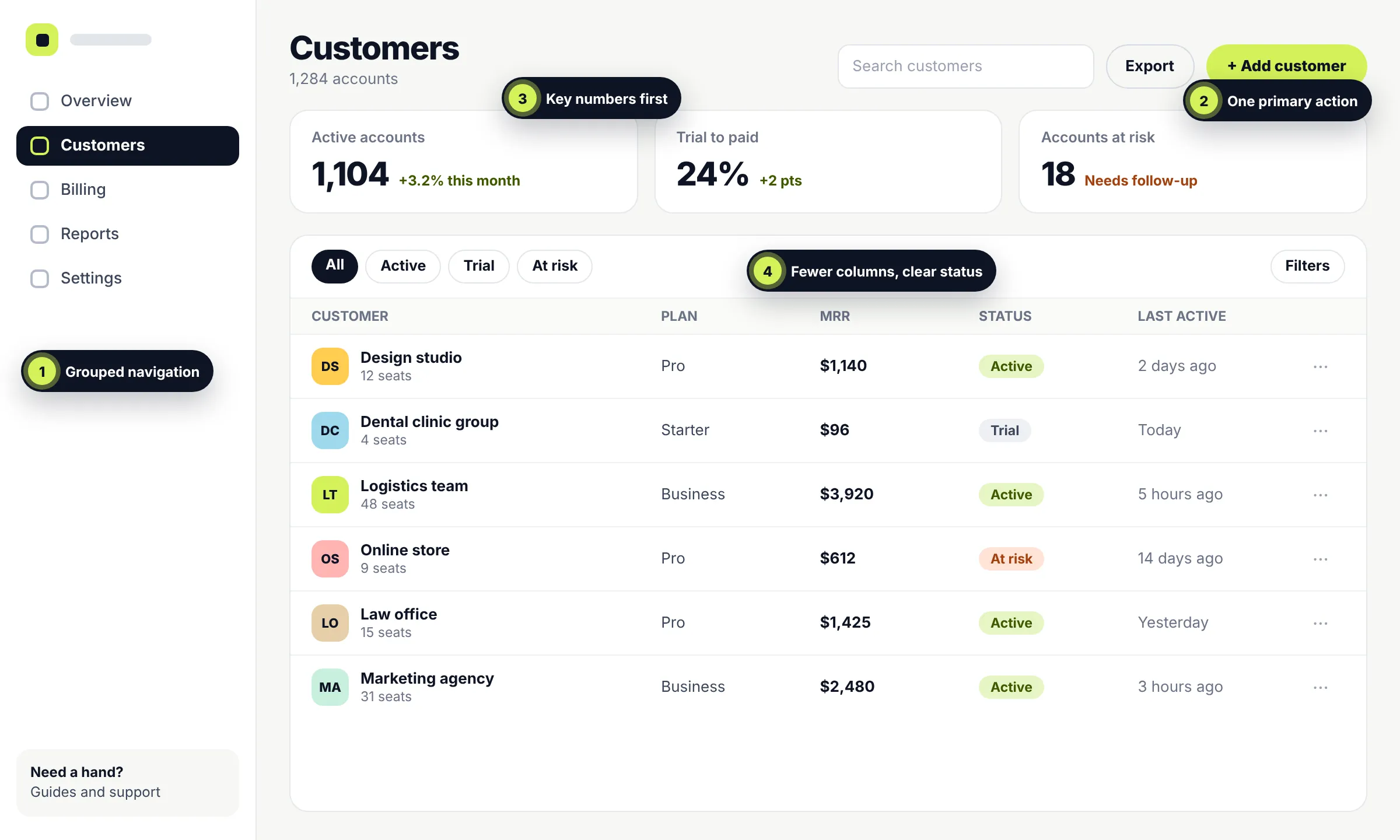
After: a calmer customers screen with grouped navigation, one primary button, three key numbers and a simpler table with clear status labels
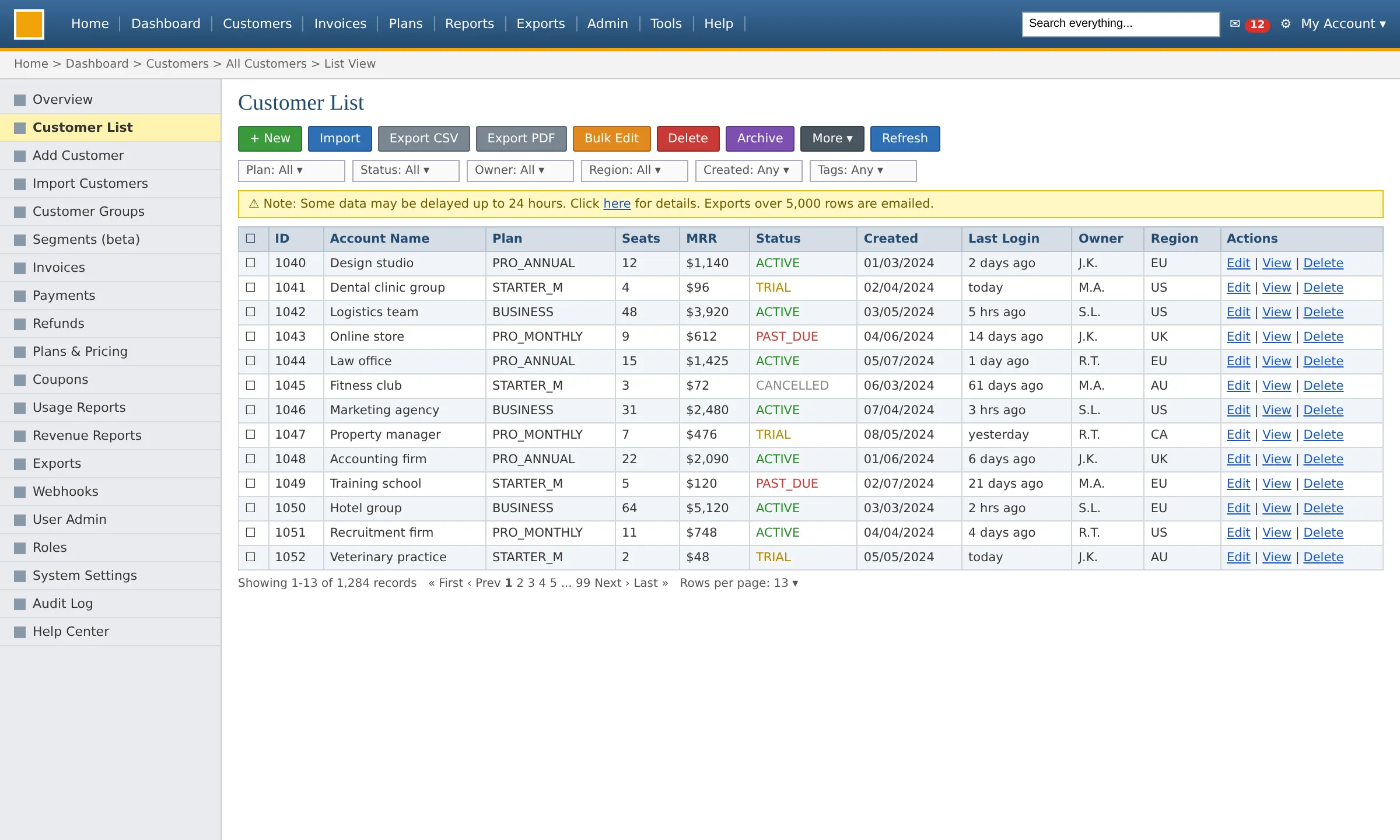
Before: a crowded customers screen with ten top menu items, twenty sidebar links, nine differently coloured buttons and a twelve-column table

What we redesign inside SaaS products

Navigation and menusDashboards and reportsCore workflowsOnboardingSettings, roles and permissionsTables and data viewsDesign systems

When to redesign

Signs your SaaS product needs a redesign

Most products don’t need a redesign because they look old. They need one when the same problems keep turning up in different places. These are the signals we look for, and where they usually show up.

In your product data

  • Signups grow, but the share of accounts that get started doesn’t
  • People drop off at the same step, week after week
  • New features get little use, even from customers who asked for them
  • It takes new users longer to reach their first useful result

In support and sales

  • The same “how do I…?” questions keep coming back
  • New customers need a call before they can get started
  • Demos spend more time explaining the interface than the value
  • Lost deals mention that the product is hard to learn

In your own team

  • Nobody is sure where a new feature should go in the navigation
  • Different screens solve the same problem in different ways
  • Developers make design decisions mid-build because there’s no system to follow
  • Every fix adds another exception instead of removing one

Choosing the right scope

Fix, redesign or rebuild?

A redesign isn’t always the answer. Sometimes a small fix is enough, and sometimes the real problem sits underneath the interface. This is how we tell the difference, and we’ll tell you honestly which one fits your product.

Comparison of a focused fix, a product redesign and a rebuild
QuestionFocused fixProduct redesignRebuild
When it fitsOne flow or screen causes most of the troubleProblems show up across several journeys, and the product has outgrown its structureThe data model, permissions or technology can’t support what users need
What changesA specific screen, step or piece of wordingNavigation, core workflows, key screens and the design system, usually in stagesThe interface and the code behind it
What stays the sameEverything elseYour backend, your data, and the workflows people rely on, unless evidence says otherwiseYour customers and their data, moved to the new system
Risk to current usersLowManaged through staged releasesHighest. Needs a migration plan
Where we would startA design consultationA product review and a phased planA technical review with our development team

Focused fix

Risk: Low

When it fits: One flow or screen causes most of the trouble

What changes
A specific screen, step or piece of wording
What stays the same
Everything else
Where we would start
A design consultation

Risk to current users: Low

Product redesign

Risk: Managed

When it fits: Problems show up across several journeys, and the product has outgrown its structure

What changes
Navigation, core workflows, key screens and the design system, usually in stages
What stays the same
Your backend, your data, and the workflows people rely on, unless evidence says otherwise
Where we would start
A product review and a phased plan

Risk to current users: Managed through staged releases

Rebuild

Risk: Highest

When it fits: The data model, permissions or technology can’t support what users need

What changes
The interface and the code behind it
What stays the same
Your customers and their data, moved to the new system
Where we would start
A technical review with our development team

Risk to current users: Highest. Needs a migration plan

Scope

What we change, and what we leave alone

Good redesigns are selective. Your customers have spent months or years learning your product, so every change has to earn its place.

Usually changes
  • Navigation and information architecture, so features sit where people expect to find them
  • Core workflows that take too many steps or lead to mistakes
  • Dashboards and data views that bury the numbers people check most
  • Onboarding and empty states for new users and new features
  • Settings, roles and permissions that became hard to manage as accounts grew
  • Buttons, forms and tables that look and behave differently on every screen
Usually stays the same
  • Workflows your most active users rely on, unless research shows they cause problems
  • Names and labels customers already know, so your help docs and training stay valid
  • Your backend, data model and APIs. A redesign works with what’s there
  • Shortcuts, saved views and links people have bookmarked
  • Your brand, unless you want a refresh as well

Evidence first

How we decide what to redesign

We don’t start with screens. We start with what your product is already telling you, then rank every problem by how many people it affects, how much it matters to the business and how much effort it takes to change.

  • 01
    Product analyticsWhere people drop off, and which features they use or ignore
  • 02
    Support tickets and chatsThe questions and complaints that keep coming back
  • 03
    Sales and customer success notesWhat prospects and new customers struggle with
  • 04
    Session recordings, if you have themWhat people actually do on the screen
  • 05
    Conversations with users and your teamWhy they do it, and what they wish were different
  • 06
    An expert review of the interfaceConsistency, accessibility and common usability problems

Process

How a product redesign project works

Six steps, each with something you can review. Nothing reaches your users without your sign-off.

  1. 1

    Free call

    You walk us through the product and what’s going wrong. We tell you honestly whether a redesign, a focused fix or something else fits.

    Produces

    An honest view on fit

  2. 2

    Product review

    We study your analytics, support themes and the interface itself, and talk to the people who know the product best.

    Produces

    A ranked list of problems

  3. 3

    Scope and plan

    We agree what will change, what won’t, and in what order. You get a written scope, timeline and price.

    Produces

    A written scope and phased plan

  4. 4

    Flows and wireframes

    We redesign the journeys first, with your product manager and developers involved, so ideas are checked against what can be built.

    Produces

    Approved flows and wireframes

  5. 5

    Design and testing

    We design the screens and components, build a clickable prototype, and test it with real users before anything is built.

    Produces

    A tested prototype and design system

  6. 6

    Handoff and rollout

    Your developers get specs for every state. We stay on hand during the build and help plan a staged release.

    Produces

    Developer-ready files and a rollout plan

Protecting your existing users

Redesign without upsetting the people who already pay you

The biggest risk in a product redesign usually isn’t a bad design. It’s a good design that changes too much, too fast. These are the safeguards we plan into every project.

RiskPeople lose habits they’ve built over years
What we doWe keep familiar paths where they work. When something moves, the old route points to the new one for a while.
RiskToo much changes at once
What we doStructural changes ship before visual ones, and new features ship separately, so people learn one thing at a time.
RiskProblems only show up after launch
What we doWe help plan a release to a small group first, with agreed signs for when to pause or roll back.
RiskYour most active customers are caught off guard
What we doThey can preview changes early. Their feedback is treated as a signal to act on, not as resistance to manage.
RiskNobody can tell whether it worked
What we doWe agree the measures before design starts and compare them before and after each release.

What a staged release can look like

What’s included

What you get from a SaaS product redesign

The exact list depends on your scope, and we agree it in writing first. Each deliverable is there to solve a specific problem.

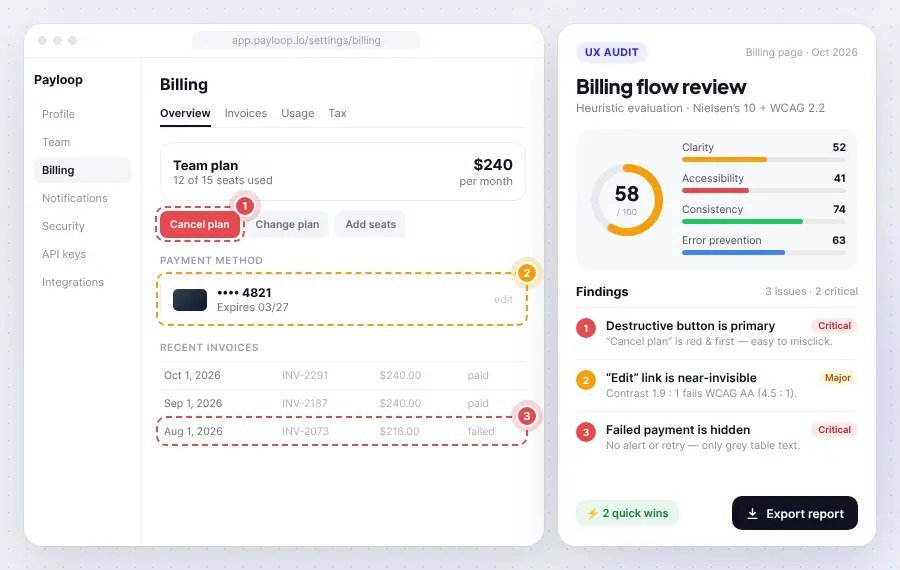
Example of a UX review: numbered issues marked on a billing screen next to a findings report ranked by severity
01Product UX review
A ranked list of where people struggle and why, with screenshots and the evidence behind each point.
02Journey and workflow maps
How people move through key tasks today, and which steps can be removed or combined.
03Navigation and information architecture
Puts features where people expect them, with room for features you haven’t built yet.
04Redesigned core screens
Dashboards, tables, forms and settings, designed for every state: empty, loading, error and full.
05Design system and component library
One set of reusable components in Figma, so new screens stay consistent after the project ends.
06Clickable prototype
Lets your team and your customers try the new experience before any code changes.
07Usability testing
Short rounds of testing with real users to catch problems while they are still cheap to fix.
08Accessibility checks
Colour contrast, keyboard use, focus states and screen-reader labels, checked against WCAG guidance.
09Developer handoff
Specs, states, responsive behaviour and a walkthrough with your developers.
10Rollout plan
Which changes ship first, who sees them, and what to measure at each step.

Working together

We work with your product team, not around it

A redesign only works if the people who will live with it after we leave are part of it from the start.

Your product manager sets the priorities

We bring the evidence and recommendations. You make the calls.

Your developers see the work early

They review flows and wireframes before visual design starts, so nothing is designed that can’t be built in your stack.

Your design system is the starting point

We extend and tidy up what’s there instead of throwing it away, unless it’s holding you back.

You have one project lead

One person is your point of contact, from the first review to the last release.

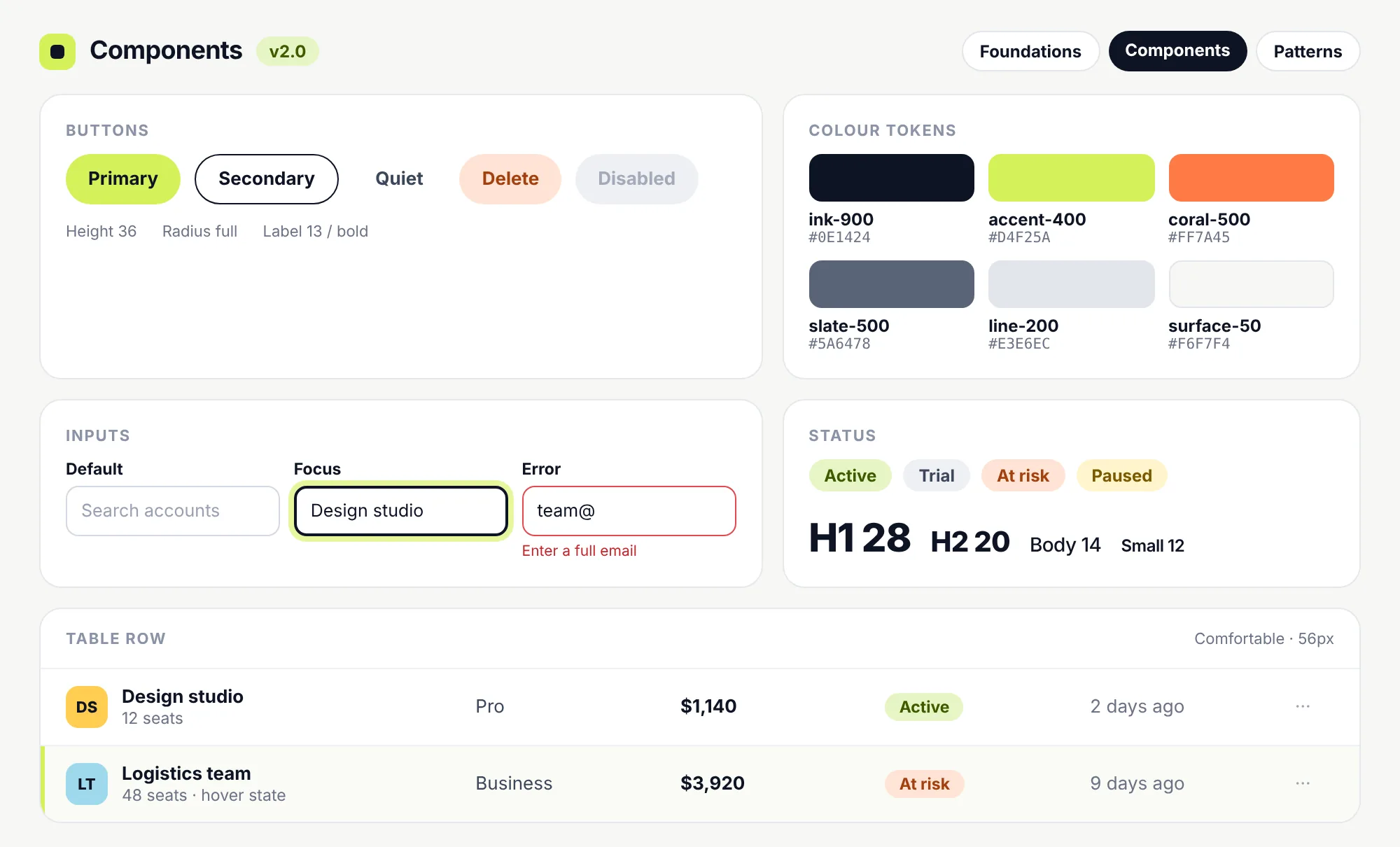
A component library page showing button styles, colour tokens, input states, status labels, type sizes and a table row with its hover state

Want us to build it too?

Our development team works in React, Next.js, TypeScript and Node.js. We can implement the redesign alongside your engineers, or on our own if your team is busy with the roadmap.

About SaaS Application Development

Measuring success

How you’ll know the redesign worked

Before design starts, we agree what success means for your product and record where things stand today. The right measures depend on why you’re redesigning. These are the ones we use most.

Task success

How many people complete key tasks, and how long it takes them

Activation

The share of new accounts that reach their first useful result

Feature adoption

Use of features people struggled to find before

Support load

Tickets and chats about the redesigned areas

Errors and drop-offs

Where people abandon or repeat steps in core workflows

Customer feedback

What users say in surveys, interviews and reviews

Our work

Related client work

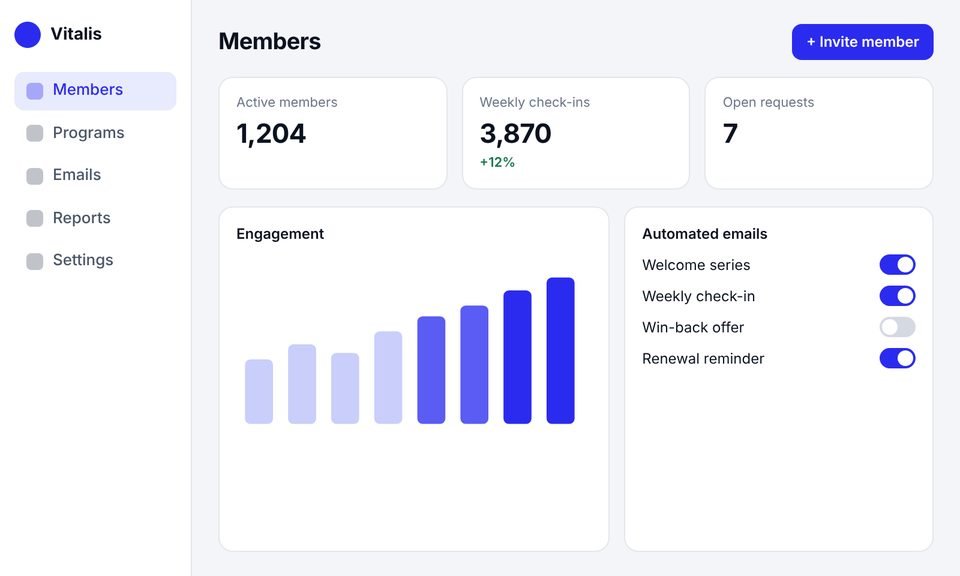
This client already had a working product with active members, but it had outgrown the website builder it was built on. We rebuilt it as a SaaS platform with a new admin dashboard, automated emails and a new website. The client’s name is withheld.
All Case Studies →
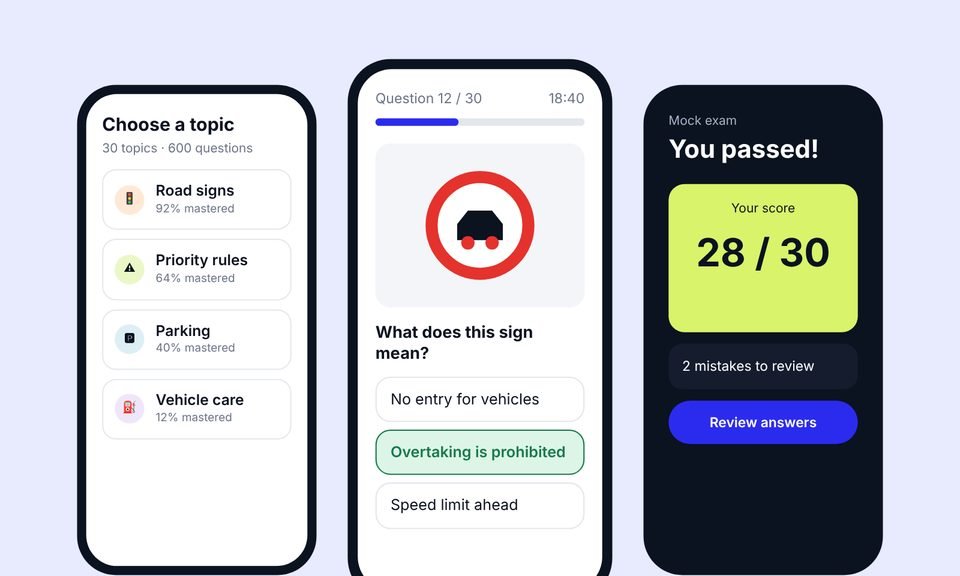
Three screens of a driving theory learning app: topics list, a road sign quiz question and a passed mock exam
Case 01
Learning app · Italy

EdTech SaaS

We designed the product, built the app and the website, then grew it with advanced SEO (including AEO and GEO) and Google Ads.

Design Development SEO PPC
SaaS

+38%

quiz completion

SaaS

1.8s

average page load

SEO

~20,000

organic visits a month, from a new domain
Read case study →
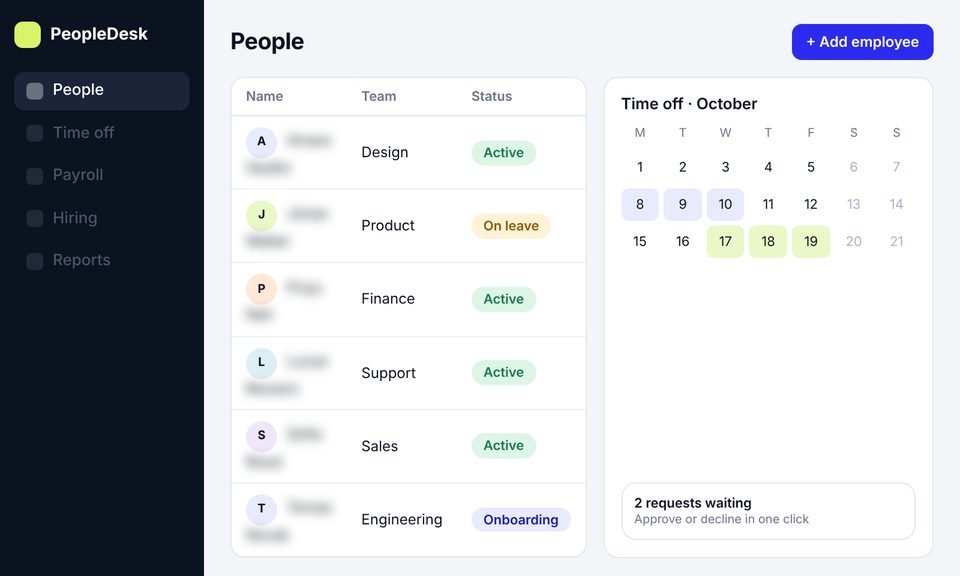
An HR management web app showing a people table with a time-off calendar
Case 02
HR platform · Idea to launch

HR SaaS Case Study

We took an HR platform from idea to launch: product design, development and a new website, then SEO to bring in users.

Design Development SEO
SaaS

+45%

trial signups

SaaS

−40%

HR admin time

SEO

~11,000

organic visits a month, from search

Read case study →
A wellness platform admin dashboard with member numbers, an engagement chart and automated email settings
Case 03
Wellness platform · New Zealand

Healthcare SaaS Case Study

This client had outgrown their website builder. We rebuilt it as a SaaS platform with an admin dashboard, automated emails and a new website.

Design Development SEO
SaaS

+40%

member engagement

SaaS

−30%

admin work

SaaS

50%

faster page loads

Read case study →

Testimonials

In their own words

Client names are withheld. Each quote comes from a real client and is shown with their company type only.

[Paste the client's own words here. A short, specific story about what changed after launch.]
B2B SaaS companyDesign, development and SEO client Design, development and SEO Read the case study →
[Paste the client's own words here. One or two plain sentences.]
Design, development and SEOHR software companyDesign, development and SEO client
[Paste the client's own words here. One or two plain sentences.]
Design, development, SEO and PPCLearning app companyDesign, development, SEO and PPC client
[Paste the client's own words here. One or two plain sentences.]
Design, development and SEOWellness platformDesign, development and SEO client

Ways to start

Start small, or redesign in phases

1

UX audit

A review of your product with a ranked list of problems. The right start if you’re not sure a redesign is needed.

About our SaaS UX audit →
2

Focused redesign

One module or journey, such as onboarding, a dashboard or settings. A good way to prove the approach before going further.

Discuss a focused redesign →
3

Phased product redesign

A plan for the whole product, delivered in stages so each release can be measured before the next one starts.

Discuss a phased redesign →

How pricing works

We don’t list fixed prices, because scope varies a lot from product to product. The cost depends on how many journeys and screens are involved, how much research is needed, the state of your design system, and whether we also build it. You get a written scope, timeline and price before any work starts.

Services

Other SaaS design services

This page covers redesigning an existing product. If you need something different, or a smaller first step, one of these may fit better. You can also combine them.

01

SaaS Website Design

A marketing website and landing pages that explain what your product does and lead visitors to a trial or demo, planned with search in mind.

  • Homepage, product and pricing pages
  • Page structure planned for search
  • Layouts that work on desktop and mobile
See More →
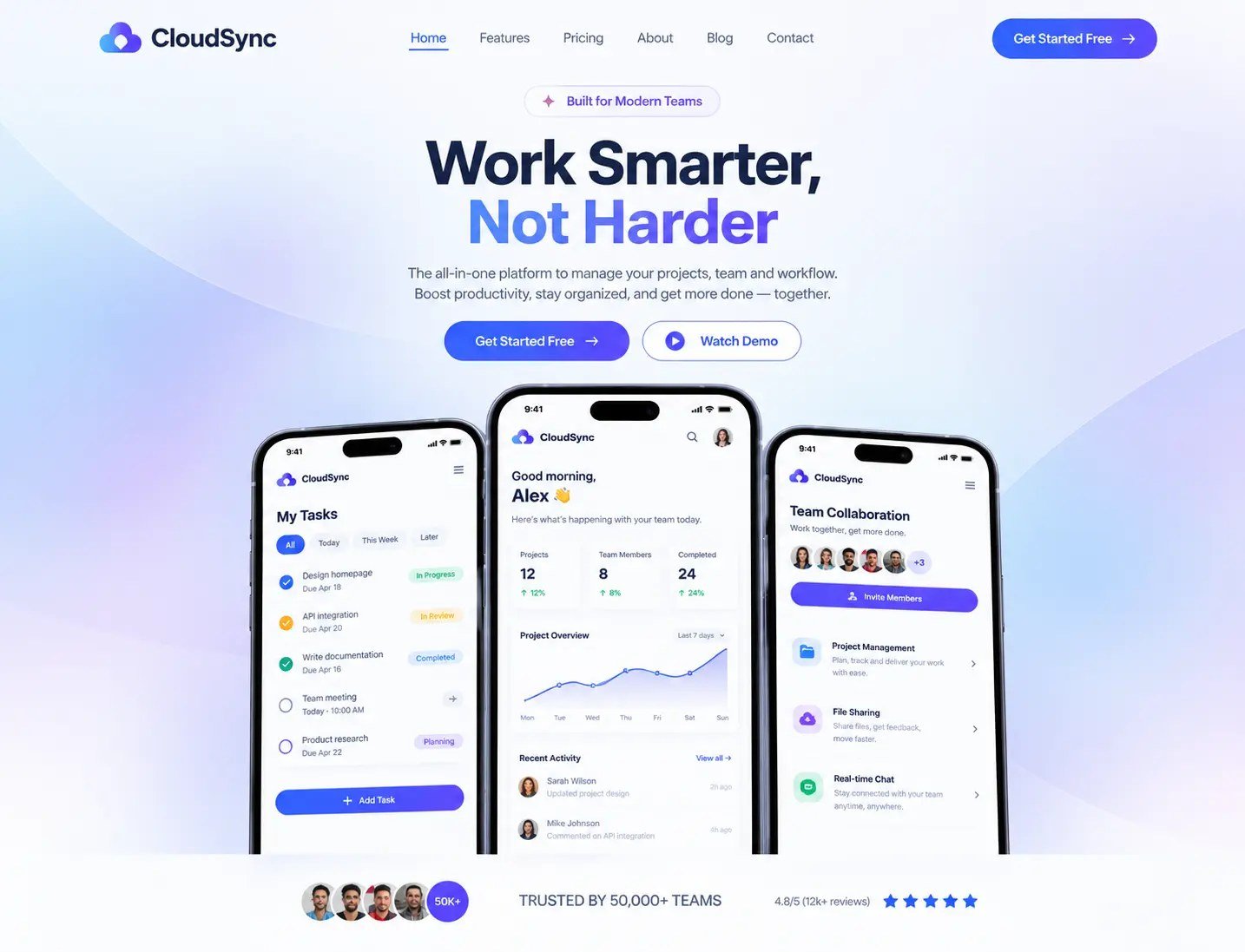
SaaS website homepage design with a headline, two call-to-action buttons and three app screens on phones Website design
02

SaaS UI/UX Design

The screens and flows of a new product or a new feature, from onboarding to billing, designed so users reach their first result faster.

  • Onboarding, dashboards, settings and billing
  • User flows, wireframes and a clickable prototype
  • Developer-ready files in Figma
See More →
Onboarding welcome dialog with a three-step setup checklist, a progress bar and a Continue button UI/UX design
03

SaaS MVP Design

A focused first version: the essential flows only, designed so developers can build it without guesswork.

  • Decide what belongs in version one
  • Essential flows and screens only
  • Files ready for your developers, or for us
See More →
Three phones showing a driving theory quiz app: a study progress screen, the main menu and a quiz question with answers MVP design
04

SaaS UX Audit

A review of your current product to find where users struggle, with recommendations on what to fix first.

  • Review of your current product and flows
  • Where users get stuck, and why it matters
  • Recommendations in order of priority
See More →
UX audit of a billing page: numbered issues marked on the screen next to a scored findings report with critical and major problems UX audit
05

SaaS Design Consultation

Expert advice on a specific design decision, for teams that need guidance rather than a full project.

  • Advice on one clear design question
  • Feedback on your designs or prototypes
  • A recommendation you can act on
See More →
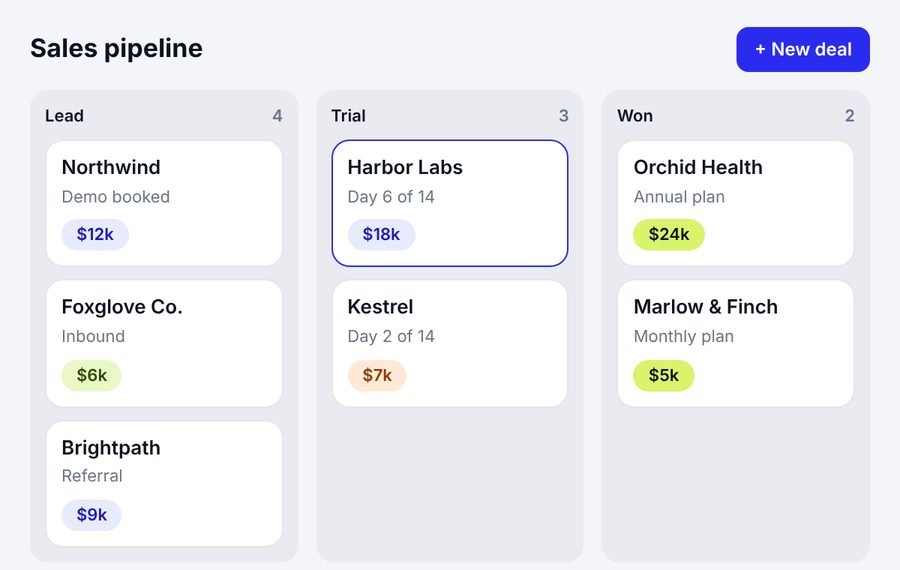
Sales pipeline board with lead, trial and won columns Consultation

FAQ

Questions about product redesign

Still have a question? Book a free call and ask us directly.

They improve an existing software product instead of designing a new one. The work covers how the product is structured and used, such as navigation, workflows and onboarding, and how it looks, such as screens, components and consistency. Unlike designing from scratch, a redesign has to account for current users, existing data and the code that’s already in place.

Let’s look at your product together

Book a free call and show us the parts of your product that cause the most trouble. We’ll tell you whether a focused fix, a redesign or something else makes sense, and what we would look at first. If a redesign isn’t the right call, we’ll say so.

Book a Free Call

Prefer email? Write to hello@saasassistant.com

What happens next

  1. 1You pick a time that works for you.
  2. 2We look at your product, or a demo account, before the call.
  3. 3After the call, you get a short summary of what we would do first.