SaaS SEO Service

SaaS SEO migration services that protect what search already sends you

Redesigning your marketing site, moving to a new CMS or changing domain? We plan the SEO side of the move, map every URL that matters, test the new site before launch and monitor it afterwards, so avoidable mistakes don’t cost you rankings, sign ups or demos.

Migrations we support

Website redesignsCMS and platform movesDomain changesURL restructuresSite consolidationsInternational sectionsLarge content movesRebrandsPost launch recovery

Do you need migration support?

How risky is your migration?

Not every change needs a migration specialist. Tick what applies to your project for a rough idea of how much SEO support it needs. Nothing is saved or sent.

Tick what applies to your migration.

Already launched and lost traffic? See how recovery works.

Migration types

Not every migration carries the same risk

The risk depends on how much changes at once, whether URLs change, how the new site is built and how much search traffic is at stake. These are the situations we help with most.

Support usually neededLightStandardFullRecovery

Redesign, same URLs

Light

New design and templates, with URLs kept as they are.

Watch out forLost content, changed headings and internal links, and template or rendering changes.

CMS or platform move

Standard

The site moves to a new CMS or framework, often with new templates.

Watch out forURL patterns change by accident, and pages rendered in the browser may hide content from crawlers.

Domain change

Full

The whole site moves to a new domain, often after a rebrand.

Watch out forEvery URL changes, so redirects, a change of address in Search Console and backlink continuity all matter.

URL restructure

Standard

Folders and URL patterns change, for example to a new product or solution structure.

Watch out forRedirect mapping at scale, plus updating canonicals, sitemaps and internal links.

Consolidation

Full

Subdomains, blogs or several sites merge into one.

Watch out forChoosing which pages survive, avoiding duplicates and redirecting to the closest match.

International changes

Full

Language or country sections move, or new ones are added.

Watch out forHreflang annotations, regional URLs and language versions competing with each other.

Large content migration

Standard

A blog, help centre or resource library moves to a new system.

Watch out forThousands of URLs, media files and internal links moving at once.

Rebrand or acquisition

Full

A product or company name changes, often alongside a new domain.

Watch out forCombining a domain move with content changes, which makes it harder to see what caused any drop.

Recovery after launch

Recovery

A migration has already happened and organic traffic has fallen.

Watch out forFinding what changed, fixing it quickly and setting realistic expectations.

Migration risks

What usually goes wrong, and how we prevent it

Most migration losses come from a handful of avoidable mistakes. These are the ones we look for first.

What goes wrongHow we prevent it
The staging site gets indexed, or the live site stays blockedStaging is protected, and the noindex and robots rules are checked on launch day.
Old URLs redirect to the homepageEach old URL goes to its closest relevant new page, or returns a 404 or 410 when nothing replaces it.
Redirect chains and loopsRedirects go straight to the final URL in one step, and are tested before launch.
Pages that bring in traffic disappearHigh value pages are found before the build starts, and their content is carried over or deliberately replaced.
Canonicals and sitemaps still point to old or staging URLsCanonicals, sitemaps and hreflang are checked on staging and again after launch.
Internal links still point to old URLsNavigation and in content links are updated, so visitors and crawlers don’t pass through redirects.
Content only appears after JavaScript runsKey templates are tested to check that content and links show up in the HTML search engines read.
Tracking breaks, so nobody can see the impactAnalytics and conversion events are checked on staging, and a baseline is saved before launch.


The technical side, simply

Redirects, canonicals and sitemaps do different jobs

Many migration problems come from mixing these up. Here’s what each one does, and what it doesn’t.

Redirects

Send visitors and search engines from an old URL to its new one. When a URL changes permanently, a server side 301 or 308 redirect is the right tool. Keep redirects in place for as long as possible, and generally for at least a year.

Canonical tags

Tell search engines which version of similar pages you prefer. They don’t move anyone anywhere, so they never replace a redirect when a page has moved.

XML sitemaps

List the URLs you want found. A new sitemap helps search engines discover the new site faster, but it doesn’t guarantee indexing or rankings.

Live is not the same as indexed

A page can load perfectly and still not be indexed, for example because of a noindex tag, a blocked crawl or a canonical pointing elsewhere. After launch, we check each stage for your priority pages.

  1. 1CrawledA search engine has fetched the page
  2. 2IndexedIt’s stored and eligible to appear
  3. 3RankingIt appears for relevant searches

How it works

From first plan to settled rankings

The earlier SEO is involved, the cheaper problems are to fix. Ideally we start before designs and URLs are final, but we can join at any stage.

Before the build
  1. Discovery and baseline

    What’s changing, your goals and launch date, plus a saved baseline of rankings, traffic and conversions.

    We need
    Analytics and Search Console access
    You get
    Baseline snapshot
  2. URL and content inventory

    Every indexable URL from crawls, sitemaps, analytics and backlink data, ranked by traffic, links and conversions.

    We need
    Current site and CMS export if available
    You get
    URL inventory
  3. Risk assessment and plan

    What the proposed URLs, templates and platform mean for search, and what has to be protected.

    We need
    Designs, sitemap and tech plans
    You get
    Migration plan and checklist
  4. Redirect map and SEO requirements

    Old to new URL mapping, plus requirements for templates, metadata, canonicals, sitemaps and tracking.

    We need
    Agreement on the new URL structure
    You get
    Redirect map and SEO specification
Before launch
  1. Staging validation

    Crawl the staging site, test redirect rules on samples, check key templates and confirm staging is hidden from search.

    We need
    Staging access for our crawler
    You get
    Pre launch QA report
Launch day
  1. Launch checks

    Priority pages, redirects, status codes, indexability, robots rules and sitemaps checked as soon as the site is live.

    We need
    Someone on your side to deploy fixes
    You get
    Launch validation notes
After launch
  1. Monitoring

    Recrawls, Search Console coverage, organic landing pages, rankings and conversions watched for the agreed period.

    We need
    Continued data access
    You get
    Monitoring reports
  2. Fixes and final report

    Issues prioritised by impact, fixes checked, and a summary of where things stand.

    We need
    Developer time for fixes
    You get
    Prioritised issue list and final report

Working with your team

Who does what

SEO migration work is mostly planning, specifying and testing. Implementation usually sits with whoever builds the site. Because we also build SaaS websites, our developers can implement redirects and fixes too, when that’s agreed.

Access we’ll need

Search Console for old and new sitesAnalytics and conversion dataStaging site accessCurrent and planned sitemap or URL listDesigns or templates for key pagesA developer contact for questions and fixes
TaskSaaS AssistantYour developersYou
URL inventory and auditUs
Redirect map and SEO specificationUsReviewApprove
Implementing redirects and templatesIf agreedUsually
Staging and launch testingUsSupport
Fixing issues foundIf agreedUsuallyPrioritise
Search Console change of addressWith accessOr you
Monitoring and reportingUsReview

Post migration recovery

Already launched and traffic has dropped?

Some movement after a migration is normal while search engines process the changes. A sharp or lasting drop usually has a cause we can find. This is how we investigate.

  1. Compare old and new

    Old URLs that brought traffic are matched against what exists now.

  2. Check every redirect

    Missing, chained, looping or irrelevant redirects are found.

  3. Check indexing

    Noindex tags, robots rules, canonicals and sitemaps on the live site.

  4. Check what changed on the page

    Removed content, new templates and lost internal links.

  5. Check the data

    Tracking gaps or changed setups that make the drop look worse, or better, than it is.

  6. Fix in order of impact

    The pages that matter most to sign ups and demos come first.

What to expect. Fixing technical problems often helps once search engines recrawl the affected pages. Losses caused by removed content or weaker pages may need new work, and how fast rankings return depends on the site and the search engine, so we don’t promise a recovery date.

Get Help With a Traffic Drop

Scope and expectations

What shapes the project

No two migrations are the same size, so we don’t sell fixed packages. You get a written scope, timeline and price before work starts.

Adds time and scope

  • Thousands of URLs, or several domains and subdomains
  • Every URL changing
  • Several languages or regions
  • A new CMS or JavaScript framework
  • Content being cut, merged or rewritten
  • Late SEO involvement, after the build

Keeps it simpler

  • Most URLs staying the same
  • One domain and one language
  • Staging access early on
  • A clear launch date and URL plan
  • Developers available for fixes
  • SEO involved before designs are final

Honest expectations

  • Short term ranking movement is normal while search engines process the move
  • Medium sized sites can take a few weeks or more to settle, larger sites longer
  • Our aim is to avoid preventable losses and catch problems early, not to promise identical traffic
Discuss Your SaaS Website Migration

Our work

From our client projects

One of these clients moved off a website builder onto a new platform built by our team. Client names are withheld, and we’re happy to talk through the details on a call.

A wellness platform admin dashboard with member numbers, an engagement chart and automated email settings
Case 01
Platform move · New Zealand

Men’s wellness platform

This client had outgrown their website builder. We moved them to a new SaaS platform with an admin dashboard, automated emails, a new website and SEO.

SEODesignDevelopment
SaaS

50%

faster page loads

SaaS

+40%

member engagement

SaaS

30%

less admin work

Read case study →
Three screens of a driving theory learning app showing a topics list, a road sign quiz question and a passed mock exam
Case 02
Learning app · Italy

Driving theory app

We designed and built the product and website, then grew it with advanced SEO, including AEO and GEO, and Google Ads.

SEODesignDevelopmentPPC
SEO

~20,000

organic visits a month, from a new domain

SaaS

+38%

quiz completion

SaaS

1.8s

average page load

Read case study →
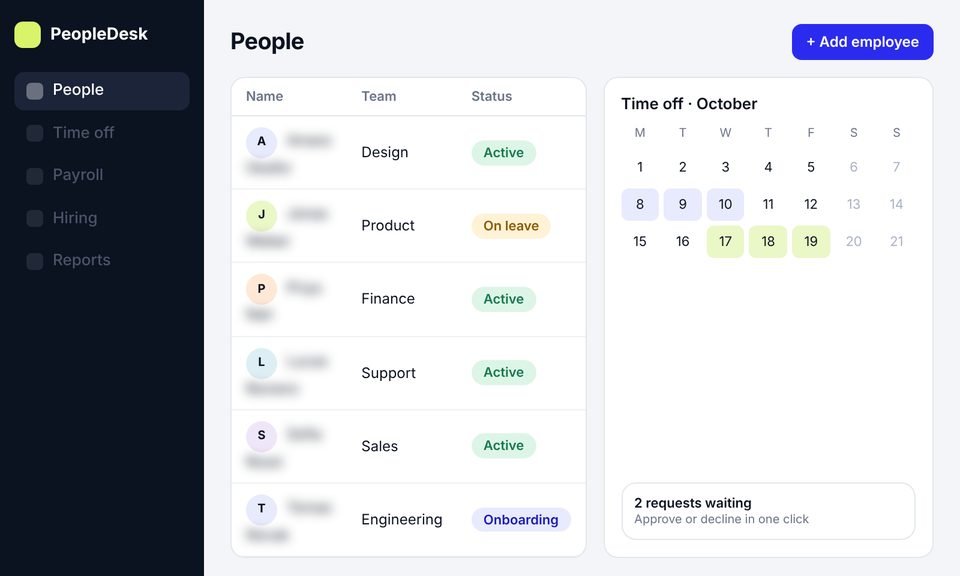
An HR management web app showing a people table with a time off calendar
Case 03
HR platform · Idea to launch

HR management software

We took an HR platform from idea to launch, with product design, development and a new website, then SEO to bring in users.

SEODesignDevelopment
SEO

~11,000

organic visits a month, from search

SaaS

+45%

trial signups

SaaS

40%

less HR admin time

Read case study →

Testimonials

In their own words

Client names are withheld. Each quote comes from a real client and is shown with their company type only.

[Paste the client's own words here. A short, specific story about what changed after launch.]
B2B SaaS companyDesign, development and SEO client Design, development and SEO Read the case study →
[Paste the client's own words here. One or two plain sentences.]
Design, development and SEOHR software companyDesign, development and SEO client
[Paste the client's own words here. One or two plain sentences.]
Design, development, SEO and PPCLearning app companyDesign, development, SEO and PPC client
[Paste the client's own words here. One or two plain sentences.]
Design, development and SEOWellness platformDesign, development and SEO client

Services

Other SaaS SEO services

This page covers SEO for site migrations. These services help before and after the move.

01

SaaS SEO Services

SEO for SaaS companies, from keyword strategy and technical SEO to comparison pages and reporting tied to sign ups and demos.

  • Strategy built around search intent
  • Technical, on page and content work
  • Reporting beyond traffic
See More →
An AI overview in search results citing yourproduct.com, next to an AI assistant recommending the product, above a table tracking priority questions SaaS SEO
02

SaaS Content Writing

Clear, accurate content written for software buyers, from problem guides to feature and comparison pages.

  • Writers who understand SaaS products
  • Every piece planned around search intent
  • Reviewed by your experts before it goes live
See More →
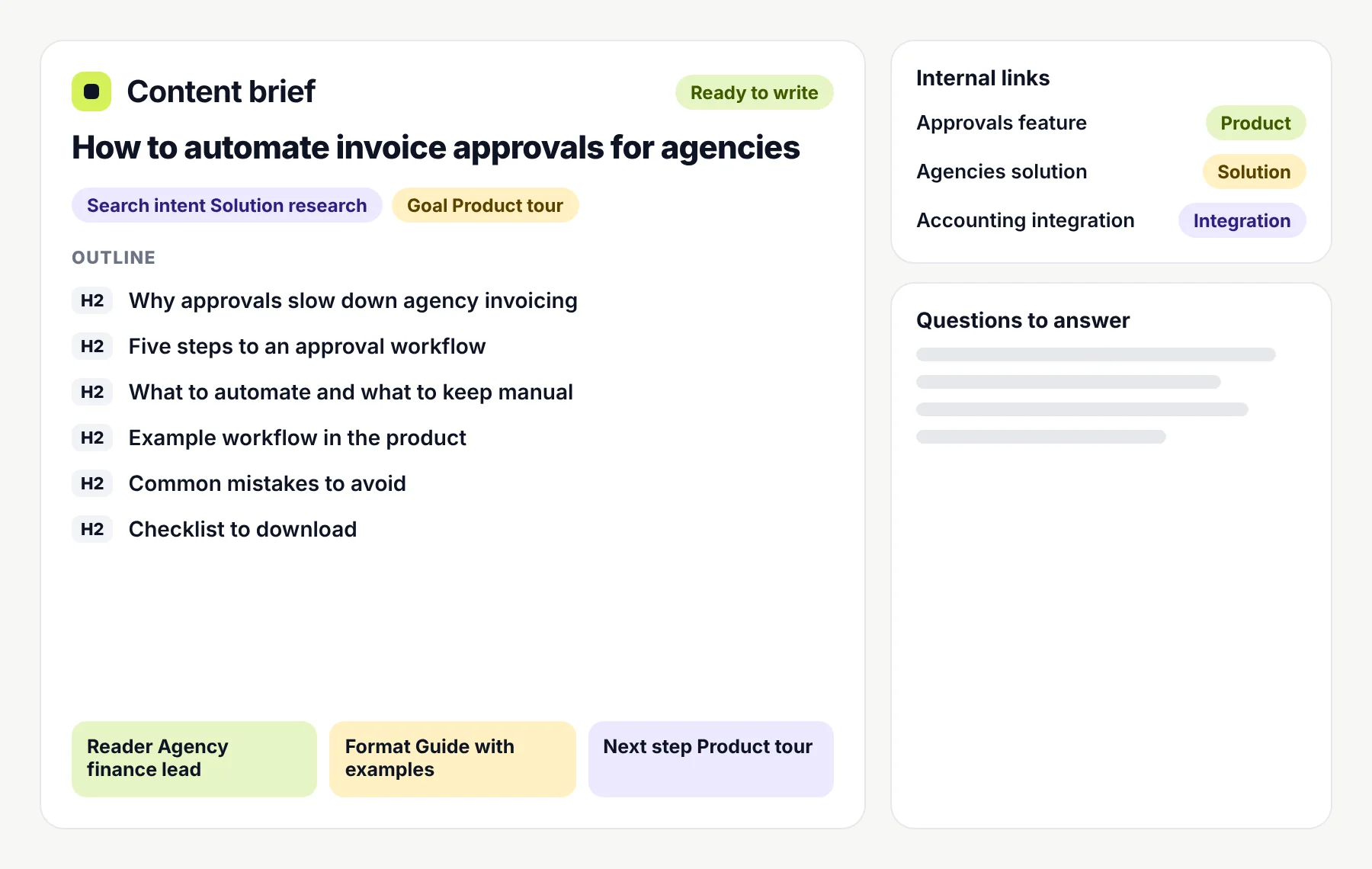
A content brief with a title, search intent and goal tags, an outline of headings, internal links and audience notes Content writing
03

Enterprise SaaS SEO

SEO for large SaaS sites with thousands of pages, several teams and complex technical setups.

  • Crawl and index management at scale
  • Templates and governance across teams
  • Technical SEO alongside your engineers
See More →
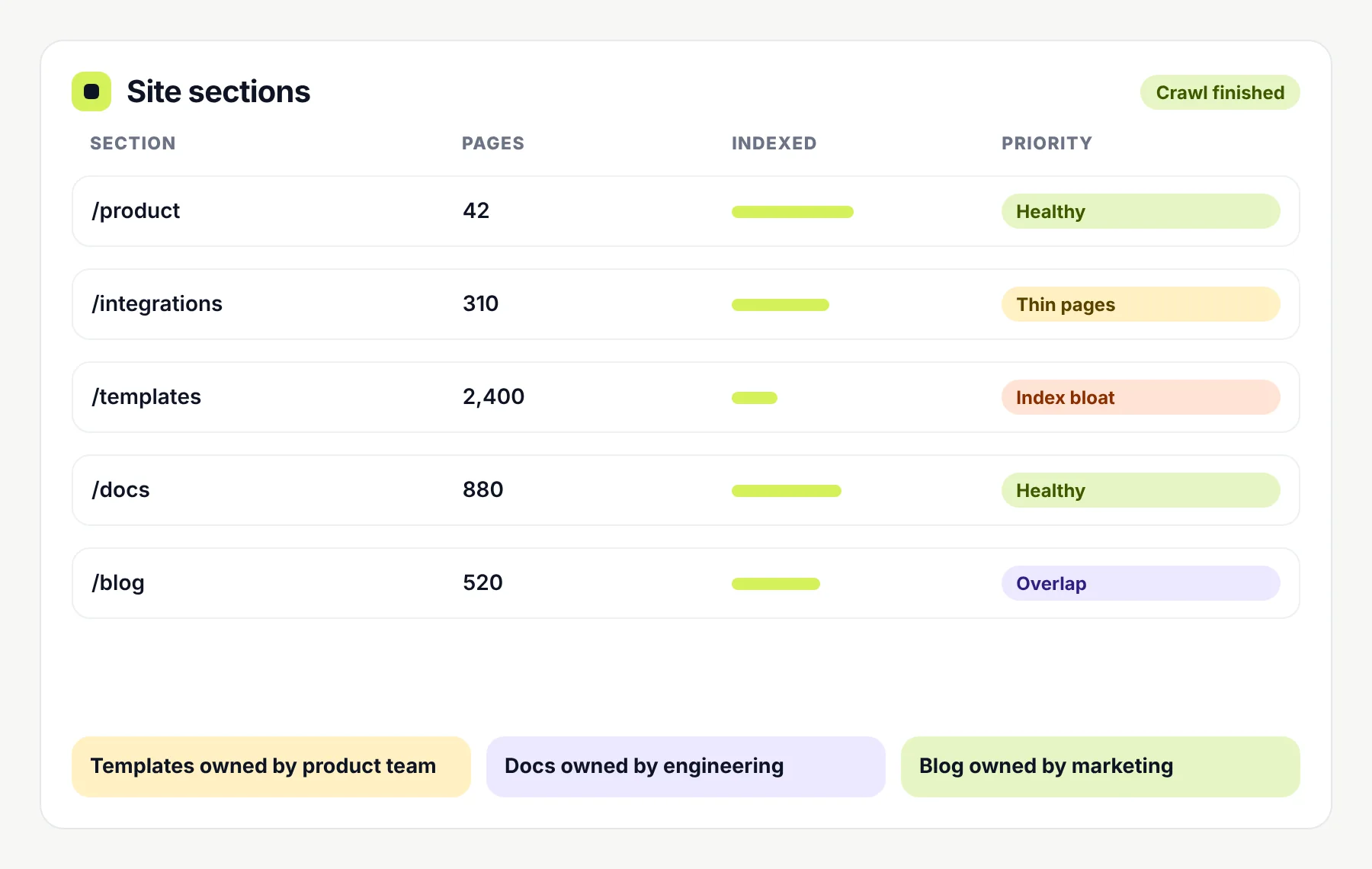
A site sections report listing page counts, indexing levels and priorities such as thin pages and index bloat, with ownership by team Enterprise SEO
04

AEO for SaaS

Answer Engine Optimisation helps your product be understood and cited when people ask direct questions.

  • Clear answers on key pages
  • Structured, scannable content
  • Visibility checks across answer features
See More →
A search answer box explaining how agencies automate invoice approvals in three steps, citing yourproduct.com among its sources AEO
05

GEO for SaaS

Generative Engine Optimisation looks at how AI assistants describe and recommend tools in your category.

  • Checks on how assistants describe you
  • Consistent product facts across the web
  • Content that supports recommendations
See More →
An AI assistant suggesting invoicing tools for agencies with the example product listed first, next to a panel showing where the product is mentioned or cited GEO

FAQ

Questions about SEO migrations

Not always. Developers make sure the new site works. SEO support makes sure search engines can follow the move, which needs a redirect map, checks on indexing rules and monitoring. If your team already covers those, a short review may be enough.

Planning a move? Bring SEO in early

Tell us what’s changing, when you plan to launch and how much of your growth comes from search. We’ll tell you how much SEO support the migration really needs.

What happens next

  1. 1You pick a time for a call.
  2. 2Share your current site, the planned changes and your launch date.
  3. 3We suggest the level of support needed, then send a written scope and price.