SaaS MVP development that turns your idea into a product people can use
We build the first working version of your SaaS. Real sign up, the core workflow your users came for, and the data, security and hosting behind it. Small enough to launch soon, and solid enough to keep building on.
Not a landing pageNot a demo with fake dataNot the fewest features possibleNot a rushed build that skips security
Deciding what to build
How we decide what goes into version one
The hard part of an MVP is choosing what to leave out without leaving users stuck. Every feature on your list goes through four questions, and gets one of four answers.
Is it needed for the core workflow?
If users can’t finish the main job without it, it’s in.
Will it teach us something we need to know?
Features that test your riskiest assumption earn their place early.
Is it required for trust, security or the law?
Password resets, permissions and data protection aren’t optional extras.
Can a provider or a manual step cover it for now?
Payments, email and some admin tasks often don’t need custom code yet.
Example feature list, sorted
For an imagined client portal for accountants
Build nowUse a providerManual for nowLater
Sign up, login and password resetBuild nowNeeded by every user, and a trust basic
Upload and organise client documentsBuild nowThe core job the product exists for
Share a secure link with a clientBuild nowTests whether clients will actually use it
Card payments and invoicesUse a providerAn established payment service, set up and connected
Automated reminder emailsManual for nowThe founder sends them by hand at first and learns what works
Team roles and permissionsLaterEarly customers are one person per firm
Native mobile appLaterA responsive web app covers phone use for now
What we build
The working parts of a first release
Every SaaS MVP needs a few foundations. Beyond those, what we build depends on your workflow and your business model, so features are grouped by how often a first release really needs them.
Almost always
Accounts and login
Sign up, login, password reset and secure sessions.
The core workflow
The screens and logic for the one job your product does.
Data and storage
A data model built around that workflow, with validation and backups.
Hosting and release
A production setup with secrets kept out of the code and errors logged.
Often
Payments
Plans and checkout through an established payment provider.
Email notifications
Welcome emails, invites and alerts sent reliably.
Basic admin tools
A simple way for you to look up users and fix problems.
Tracking for key steps
Events for sign up, setup and the core action, so you can see what users do.
Only when needed
Teams and roles
When customers are companies with several users from day one.
Integrations
When the product only makes sense connected to another tool.
Multi tenant separation
When each customer’s data must be kept strictly apart from the start.
AI features
When AI is the core of the value, not a nice extra.
Technical approach
Lean, not fragile
An MVP should be quick to build and cheap to run, but it still holds real customer data. These are the rules we follow to keep it simple without building something you’ll have to throw away.
One codebase
A single, well organised application. Separate services add cost and moving parts an MVP rarely needs.
Managed services first
Established services for hosting, email, payments and login, instead of building them yourself.
A data model with room to grow
Planned for version two, so new features don’t mean moving all your data.
Security basics from day one
Hashed passwords, permission checks on the server, safe input handling and backups.
Readable code and notes
Clear structure and documentation, so any developer can pick it up later.
Shortcuts written down
Every deliberate shortcut is recorded with the point at which it should be revisited.
Example shortcutWhy it’s fine for nowRevisit when
One database shared by all customersSimple and cheap to runYou sign customers who need their data kept separately
Monthly plans onlySimpler billing and fewer edge casesCustomers start asking for annual billing
Founder handles onboarding by handYou learn from every new customerSign ups outgrow what one person can handle
No MVP is built to scale forever. Some decisions will need revisiting as you grow, and that’s expected. Writing them down means the next step is planned rather than a surprise.
How it works
From idea to first users
You work with one project lead from start to finish, and you get a written scope, timeline and price before any build work starts.
Your users, the problem, what success looks like and the assumptions behind it.
Your notes, research and any existing material
2
Define version one
The core journeys, the sorted feature list and what “done” means for each feature.
You approve the scope
3
Plan the build
The architecture, data model, integrations and the order we’ll build in. Then a written timeline and price.
You approve the plan and price
4
Designs
We build from your approved designs, or our design team creates them first.
You approve the screens
5
Build in short cycles
The core workflow first, then the rest, with a working demo at the end of each cycle.
You give feedback on each demo
6
Test
Core workflows, logins, permissions, payments and error states, on desktop and mobile.
You test it yourself
7
Launch
Production setup, domain, backups, error logging and release to your first users.
You give the go ahead
8
Plan what’s next
We review what users did and agree the next set of changes with you.
You decide the next priorities
Testing and launch
Ready for real users
A small product still holds real people’s data and time. Before launch we check what users depend on and set up what you need to see problems early. No software is free of bugs, so we focus testing where a failure would hurt most.
What we test
The core workflow, end to end
Sign up, login and password reset
Who can see and change what
Payments in test mode
Empty, loading and error states
Phones, tablets and desktops
Validation of everything users type in
What we set up for launch
A separate production environment
Your domain and secure connections
Secrets kept out of the code
Automatic database backups
Error logging and uptime checks
Tracking for the key steps
After launch
Learn first, then build the next thing
Launching is where learning starts. An MVP gives you real evidence about what to build next. It can’t guarantee that the idea will succeed, but it tells you much sooner whether it’s working.
Release
Your first users get access.
Watch
Tracked steps and errors show what people actually do.
We don’t sell fixed MVP packages, because one idea can need six screens and another sixty. You get a written scope, timeline and price before any build work starts.
Adds time and cost
More types of user, each with its own screens
Integrations with other tools
Complex rules, calculations or data imports
Strict security or compliance needs
No designs yet
Web plus native mobile apps
Keeps it focused
One type of user to start
Providers for payments, email and login
Manual steps where volume is low
Approved designs ready to build
A responsive web app first
A clear list of what can wait
Bring what you have
A short description of the problem and your first users
Your feature list or notes, however rough
Designs, wireframes or a prototype, if you have them
Any existing product, including no code tools you’re replacing
Tools it must connect to
Your budget range and launch window
Don’t have all of this? That’s fine. Working it out together is part of the first step.
Two of these started as ideas we took to launch, and one outgrew its website builder. Client names are withheld. We’re happy to share more detail on a call.
Case 01HR management software
HR platform · Idea to launch
HR management software
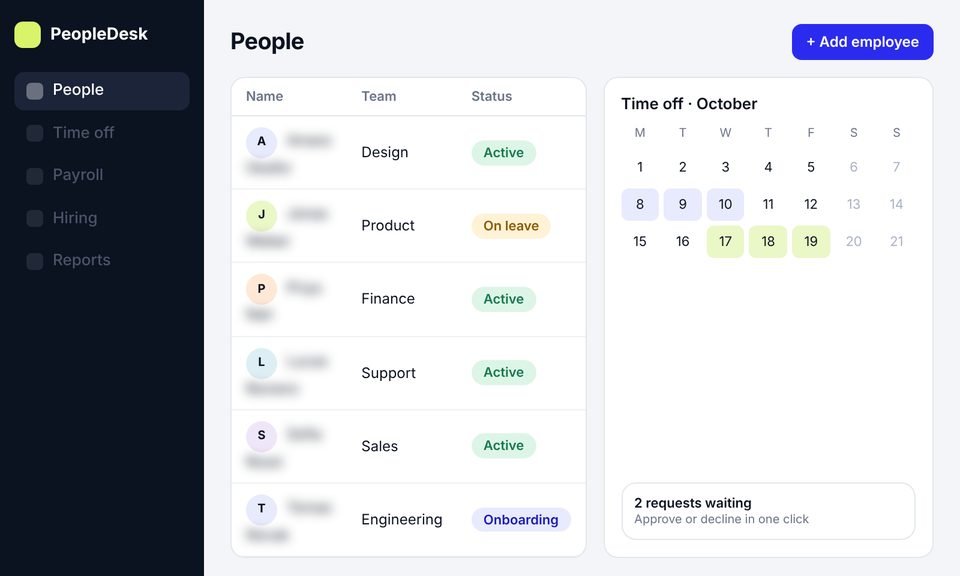
We took an HR platform from idea to launch, with product design, development and a new website, then SEO to bring in users.
It’s building the first working version of a software product people use online. It includes real accounts, the core workflow, data storage and hosting, with enough functionality for your first users to rely on it and for you to learn from how they use it.
A prototype is clickable screens with nothing working behind them. It’s great for testing an idea and a flow. An MVP is working software with real accounts and data. If you need a prototype first, our SaaS MVP design service creates one.
It’s ready when you can name your first users, describe the problem in their words, say what the product must do, and know what you want to learn. If some of that is unclear, a short planning step or MVP design usually comes first.
Yes. We review them for missing screens, states and edge cases, then build from them. If anything is missing, we’ll flag it before development starts.
Yes. We look at what works, what users rely on and what’s holding you back, then plan a rebuild that moves your users and data across.
Each feature is checked against four questions. Is it needed for the core workflow? Will it teach us something? Is it required for trust, security or the law? Can a provider or a manual step cover it for now? Then it’s built now, handled by a provider or by hand, or saved for later.
We often use React and Next.js for interfaces, TypeScript, Node.js or Python on the server, PostgreSQL for data, and Docker and AWS for hosting. We choose what fits your product, and we prefer established tools over new ones for an MVP.
Usually not from scratch. We keep the code organised and the data model ready for version two. Some shortcuts will need revisiting as you grow, so we write them down with the point at which to revisit them.
You do. The code, designs and project files belong to you, and we hand over access and documentation at launch.
It depends on the number of user types, the features in version one, integrations, security needs and whether designs exist. You get a written scope, timeline and price before any build work starts.
We fix launch issues within the agreed period. After that, we can keep building with you, from small releases to growing it into a full product with SaaS application development.
No. An MVP gives you real evidence much sooner and for less money than building everything. Whether the product succeeds depends on the market, the offer and what you learn and change.
Let’s plan your version one
Book a call and tell us about your idea, your first users and what you’ve built so far. We’ll talk through what version one needs, what can wait and how we’d build it.

 Figma
Figma  Ahrefs
  Search Console
  Google Ads
  Case 01