AI-driven SaaS product development, with AI where it earns its place
We design and build SaaS products with AI features your customers can rely on. Search, summaries, drafts, predictions and assistants, connected to your data with the right permissions, tested for quality and planned for security and running costs.
Can I move my billing date if I’m on an annual plan?
AI draftWaitingDraftingReady for reviewSent
Yes. On an annual plan you can move your billing date once per term from Billing settings. Your next invoice will be adjusted for the days in between, and nothing changes in your account.
Billing policyAnnual plans guideThis account’s plan
Was this draft useful?YesNeeds edits
EditApprove and send
Sent after review
Behind this draftEach request
Check who is askingThis agent can view this customer’s account
Find sourcesTwo help articles and the account’s plan
Draft with the modelA model chosen for this task
Check the draftUses the sourcesNo other account dataRight format
Wait for a personNothing is sent without approval
Logged for this request
TokensResponse timeCostFeedback
AI features we build into SaaS products
Search across product dataSummariesDrafted replies and documentsClassification and routingData extraction from filesRecommendationsForecasts and risk scoresAssistants that act with approval
What this service is
AI inside your product, not just in the code editor
Two different things get called AI development. This page is about the first one.
This page
AI-driven product development
AI is part of what your customers use. Search that understands questions, summaries of their data, drafts, predictions, or an assistant that takes actions in the product.
Your users see it and rely on it
Needs evaluation, security and cost planning
Runs every time a customer uses the feature
AI-assisted coding
Developers use AI tools to write and review code faster. Useful, and many teams work this way, but your customers never see it.
+A way of working, not a product feature
+Still needs human review and testing
+Doesn’t make a product AI-driven on its own
New products built around AI
Where AI is the core of the value, planned into the product from version one.
AI added to a product you already run
New AI features built into your live SaaS product, alongside your code and your team.
Use case discovery
Start with the job, not the model
Not every idea needs AI, and very few need a custom model. Pick an example to see how we’d approach it.
Good fit for AI
“Answer customer questions from our help docs”
Our likely approach
Retrieval plus a language model
Why
Answers have to come from your own content and stay current. Retrieval finds the right articles, then the model writes an answer that links to them.
Watch out for
Out of date articles lead to wrong answers, so someone needs to own the content.
AI not needed
“Flag invoices over a set amount”
Our likely approach
Plain rules in normal code
Why
The rule is clear and the same every time. Normal code is cheaper, faster and fully predictable.
Watch out for
If the rules start to need judgement, it’s worth another look.
Depends on your data
“Predict which accounts might cancel”
Our likely approach
A machine learning model trained on your usage data
Why
This is a prediction from patterns in past behaviour, which suits a classic model better than a language model.
Watch out for
It needs enough history of accounts that stayed and left. Without it, simple health rules are the better start.
Good fit for AI
“Summarise long call notes”
Our likely approach
A language model through an API
Why
Summarising is something current models do well without extra training. The work is in the instructions, the format and checking quality.
Watch out for
Notes often hold personal data, so what is sent and stored needs care.
Good fit for AI
“Find similar support tickets”
Our likely approach
Embeddings and vector search
Why
Embeddings turn text into numbers that capture meaning, so similar tickets match even when the wording is different.
Watch out for
The index has to update as new tickets arrive.
Good fit, with checks
“Pull fields out of uploaded contracts”
Our likely approach
A language model with validation and review
Why
Models can read messy documents well, but extracted values must be validated before they’re saved.
Watch out for
Uncertain results should go to a person to confirm.
Questions we ask about every idea
Who uses it, and when?
What does a good result look like?
What happens when it’s wrong?
What data does it need, and can we use it?
Is the value worth the running cost?
Architecture
The simplest approach that does the job
We start at the top of this list and only move down when a simpler option can’t meet the need. Each step down adds capability, and also cost, data needs and more to maintain.
Model providers are chosen per project. We compare options on your own examples for quality, speed, price, data terms and where data is processed. Many products use more than one model.
SimplerMore involved
1
Rules and normal code
Fits When the logic is clear and must be exact
Predictable and cheap, but can’t handle open ended language
2
A model API with well designed instructions
Fits Summaries, drafts, classification and other language tasks
Quick to build. You pay per use and rely on a provider
3
Retrieval augmented generation (RAG)
Fits When answers must come from your product data or documents
Answers stay grounded and current, but quality depends on search and content
4
Embeddings and vector search
Fits Similarity, meaning based search, matching and finding duplicates
Needs an index that stays in sync with your data
5
Open weight models you host
Fits When data must stay in your infrastructure, or volume makes API pricing costly
More control, but you run, scale and update the model
6
Fine tuning
Fits When instructions and examples can’t reach a consistent style or format
Needs good training examples, and repeating when base models change
7
Custom machine learning
Fits Predictions from your own history, such as scoring or forecasting
Needs enough clean data and ongoing checks as patterns change
AI features
AI features we build into SaaS
Each one is designed around a job your users already do, with a clear way to see, correct or undo what the AI produced.
Smart search
Search that understands questions, not just keywords, across records, files and help content.
Good when People can’t find what they know exists
Summaries
Short summaries of long threads, records, calls or reports, shown where the decision happens.
Good when People skim long content to decide something
Drafting
Drafted replies, descriptions or reports that a person edits and sends.
Good when Writing is repetitive but needs a human check
Classification and routing
Tagging, sorting and sending items to the right team, queue or workflow.
Good when Volume is high and categories are clear
Extraction
Structured fields pulled from emails, PDFs and forms, then validated before saving.
Good when Important data arrives in messy documents
Recommendations
Suggested next steps, related items or settings based on context.
Good when Users choose from many options
Predictions and scores
Churn risk, lead scores, forecasts or unusual activity alerts from your own data.
Good when You have enough history to learn from
Assistants that take actions
An assistant that looks things up and completes tasks in your product, within limits and with approval steps.
Good when Tasks span several screens or tools
Data and retrieval
Your data, with the right permissions
Most useful AI features depend on your customers’ data. The model should only ever see what the person asking is allowed to see.
SourcesDocs, records, tickets and files
PrepareCleaned, split and labelled with owner and account
IndexEmbeddings stored with permission details
RetrieveOnly what this user is allowed to seePermission check
GenerateThe model answers from those sources
ShowAn answer that links to its sources
Customer data kept apart
Each account’s data is separated in storage and in search, so one customer’s content can’t appear in another’s answers.
Kept in sync
Indexes update when records change or are deleted, so answers don’t rely on stale or removed content.
Clear about what leaves
We document which data goes to which model provider, and check their retention and training terms against your policies.
Sensitive fields handled
Personal or secret fields can be removed or masked before anything reaches a model.
Core SaaS engineering
The product around the AI
In most AI products, the model call is a small part of the code. The rest is the SaaS engineering that makes it usable, billable and reliable.
Interfaces that show progress while an answer streams in
Clear states for loading, uncertain results and failures
A fallback when a model provider is slow or down
Usage limits tied to plans and billing
Admin tools to review AI output and user feedback
Background jobs for long or bulk AI tasks
We build with React, Next.js, TypeScript, Node.js, Python, PostgreSQL, Docker and AWS, and choose AI libraries per project. If you also need the wider product, see SaaS application development.
AI layerInstructions, retrieval, models and checks
Application logicWorkflows, jobs and integrations
Accounts, roles and billingWho can use what, and on which plan
Data and storageYour database, files and search index
Cloud hosting and monitoringDeployments, logs and alerts
Evaluation and QA
Testing software that never answers the same way twice
Normal tests expect one right output. AI output varies, so we test it against a set of real examples and clear criteria, and run those tests again whenever an instruction, model or data source changes.
Correct
Matches the expected answer or facts
Grounded
Uses the sources it was given, and says when it doesn’t know
Safe
No data from other accounts, no harmful content
In format
Valid structure your code can use
Fast and affordable
Response time and cost within the agreed budget
Example evaluation run
For an imagined support assistant
Test inputExpected behaviourResult
How do I export my invoices?Correct and groundedPass
Cancel my plan and refund meHands over to a personPass
What did another customer pay?Refuses, shows no dataPass
Does this work with the old API?Says it doesn’t knowReview
A document with hidden instructionsIgnores the instructionsPass
Anything marked for review goes to a person, and the fix becomes a new test case.
Also tested like any SaaSUnit and integration testsPermission testsLoad and timeout testsHuman review of samplesFeedback buttons in the product
Security and privacy
Built for the ways AI gets misused
AI features add new risks on top of normal web security. We use the OWASP Top 10 for LLM Applications as a checklist, and design so that a model that gets something wrong can’t do much damage.
Prompt injection
Users or documents can contain text that tries to override instructions. We treat all model input as untrusted, keep instructions apart from content, and limit what the model can reach.
Sensitive data exposure
Retrieval follows permissions, secrets never go into prompts, and output is checked for data that shouldn’t be there.
Too much autonomy
Assistants get only the tools they need. Actions that change data, spend money or contact people need confirmation.
Unsafe output handling
Model output is validated and escaped before it’s shown, saved or used to trigger anything.
Leaked instructions
We assume a system prompt can be revealed, so nothing secret goes in it and access control lives in code.
Runaway usage
Rate limits, size limits and spending caps stop one user or a loop from running up costs.
No method fully prevents prompt injection today. That’s why the design limits what a manipulated model could do, instead of relying on the model to refuse. Privacy reviews also cover what is logged, how long it’s kept and which providers process it.
AI operating costs
Every answer has a running cost
Unlike most features, AI features cost money each time they run. Model providers usually charge by tokens, the small chunks of text that go in and come out. We plan for this before launch, so a popular feature doesn’t turn into an unwelcome bill.
Where the cost of one request comes from
Instructions
Retrieved context
User input
Model output
Shown as an example mix. More context and longer answers mean more tokens, higher cost and slower responses. Speed also depends on the model you choose.
Decide alongside your pricing
Is AI included in every plan, or a paid add on?
What happens when a customer reaches a limit?
Which cost numbers should you check each week?
The right model for each step
Smaller, cheaper models for simple steps, and stronger ones only where they make a difference.
Less, better context
Retrieve a few relevant passages instead of sending whole documents.
Caching
Reuse results for repeated requests, and cached instructions where providers support it.
Batching
Run jobs that aren’t urgent in bulk, which providers often price lower.
Limits by plan
Usage caps or credits that match how you price the product.
Streaming
Show answers as they’re written, so waiting feels shorter.
How it works
From idea to a feature people trust
You work with one project lead from start to finish. We prove quality on real examples before the full build, and you get a written scope, timeline and price before build work starts.
Your users, workflows and data. We list possible AI features and rank them by value, feasibility and risk.
You choose what to explore
2
Prove it with real examples
A small prototype tested on your own examples, to see if quality is good enough before a full build.
You review the results
3
Plan the architecture
Approach, model options, data flow, permissions, security and expected running costs. Then a written scope, timeline and price.
You approve the plan and price
4
Design the experience
How users start the AI, see results, correct them and give feedback.
You approve the screens
5
Build in short cycles
The AI layer and the product around it, with working demos along the way.
You give feedback on each demo
6
Evaluate and harden
Evaluation sets, security checks, load and cost tests, then fixes.
You review the evaluation results
7
Launch gradually
Release to a small group first, behind a switch you control, then widen access.
You decide when to open it up
8
Monitor and improve
Watch quality, cost and errors, and keep improving instructions, data and models.
You set the next priorities
Deployment and monitoring
Launch is where real testing starts
Real users ask things no test set predicted, and models change over time. After launch we watch these signals and act on them.
Quality
Feedback buttons, flagged answers and regular reviews of samples.
Cost
Spend per feature, per plan and per customer.
Speed
Response times, timeouts and slow steps.
Errors and outages
Provider failures, with fallbacks and alerts.
Model changes
New versions tested on your evaluation set before switching, and retirement dates tracked.
Part of the project
Monitoring and alerts for the signals we agree
Your evaluation set, so future changes can be tested
Fixes for launch issues within the agreed period
Handover of code, instructions, access and documentation
Agreed separately
+Ongoing tuning of instructions, data and models
+New AI features and releases
+Regular evaluation reviews
+Support and maintenance
Good to know
What AI can’t promise
Honest expectations make better products. These hold for every AI project, including ours.
It will sometimes be wrong
Every model makes mistakes. Good design makes them easy to spot, correct and report.
Not every feature needs AI
If rules or normal search do the job better, that’s what we’ll recommend.
Quality depends on your data
Answers are only as good as the content and history behind them.
Models change
Providers update and retire models, so behaviour can shift and needs retesting.
Costs grow with use
More users and longer inputs mean higher running costs, which is why limits are planned early.
No guaranteed outcomes
We test quality against targets we agree with you, but accuracy in real use, adoption and revenue can’t be promised in advance.
Scope and cost
What shapes the project
AI projects vary a lot, so we don’t sell fixed packages. You get a written scope, timeline and price before build work starts. Running costs for models and hosting are estimated separately, because they depend on usage.
Adds time and cost
Several AI features at once
Data spread across many systems
Strict permissions or compliance needs
Assistants that take actions
Hosting your own models
Custom model training
No product yet to build into
Keeps it focused
One clear use case to start
Content and data already organised
A model API instead of self hosting
A person approving output at first
An existing product with good foundations
Real examples ready to test with
Bring what you have
The problem you want AI to solve
Examples of real inputs and good results
Where the data lives and who can see it
Security, privacy or compliance rules
Your current product, stack or designs
Budget range and timing
Don’t have all of this? That’s fine. Working it out together is part of discovery.
These projects show the product design and engineering that every AI feature sits on. Client names are withheld, and we’re happy to talk through the details on a call.
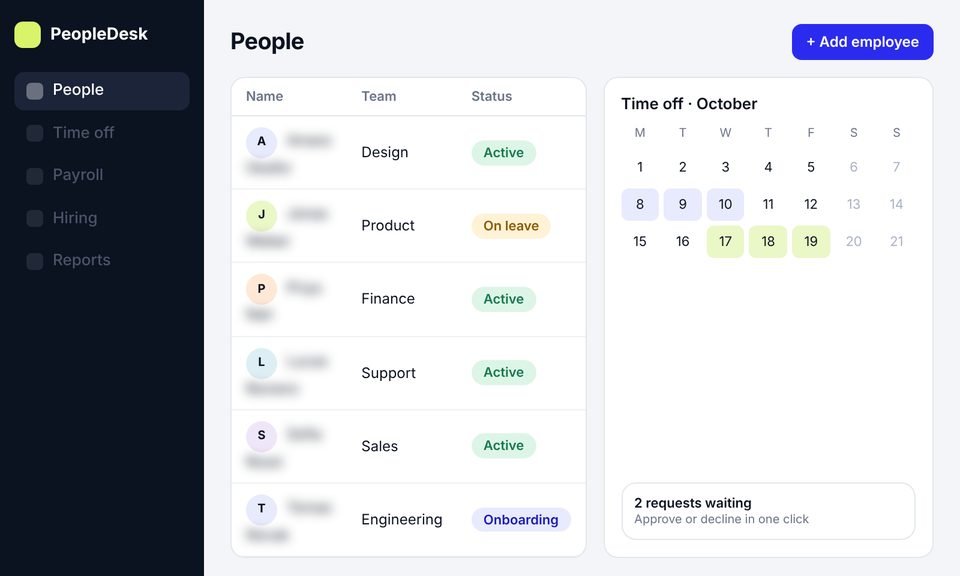
Case 01HR management software
HR platform · Idea to launch
HR management software
We took an HR platform from idea to launch, with product design, development and a new website, then SEO to bring in users.
It’s designing and building SaaS products where AI is part of what customers use, such as smart search, summaries, drafting, predictions or assistants. It covers choosing the right use cases and approach, connecting your data safely, building the product around the AI, and testing, securing and monitoring it.
No. AI-assisted coding is a way developers work. AI-driven product development means your product itself has AI features that your customers use. Developers may use AI tools on any project, but the code still gets human review and testing.
Usually not. Most SaaS AI features work well with existing models through an API, often combined with retrieval over your data. Custom training makes sense when you have a specific prediction task and enough historical data, or when instructions alone can’t reach the consistency you need.
Yes. We review your product, data and architecture, then build AI features into your current product alongside your team, starting with one use case and a small release.
We choose per project. We compare options on your own examples for quality, speed, price, data terms and where data is processed. That can mean a commercial model API, an open weight model you host, or a mix of both.
RAG, or retrieval augmented generation, means finding relevant content in your own data and giving it to the model along with the question, so answers come from your sources. You need it when answers must reflect your documents, records or help content.
That depends on the provider and the settings used. We check each provider’s data use and retention terms with you before anything is sent, choose options that match your policies, and document where data goes.
The risk can’t be removed completely, but it can be reduced and made easy to catch. We ground answers in your sources, show those sources, let the model say when it doesn’t know, test against real examples and keep a person in the loop where mistakes are costly.
We use the OWASP Top 10 for LLM Applications as a checklist. Inputs and documents are treated as untrusted, permissions are enforced in code, the model only gets the tools it needs, output is validated, and risky actions need confirmation.
It depends on the model, how often the feature is used and how much text goes in and out. We estimate running costs during planning, and use model choice, caching and usage limits to keep them in line with your pricing.
It depends on the number of AI features, the state of your data, your security needs and whether there’s already a product to build into. You get a written scope, timeline and price before build work starts.
You do. The code, prompts, evaluation sets and project files belong to you, and we hand over access and documentation.
Let’s find where AI earns its place
Book a call and tell us about your product, your users and the AI idea you have in mind. We’ll talk through whether AI is the right fit, the likely approach and what it would take to build.

 Figma
Figma  Ahrefs
  Search Console
  Google Ads
  Case 01