 Figma
Figma  Google Ads
 A new product from an idea
You know the problem and the customer, but nothing is built yet.
Where we focus firstAgreeing the smallest version worth launching, then planning its data and architecture so version two doesn’t mean starting over.
 Ahrefs
Semrush
Ahrefs
Semrush
 Search Console
We build the working software: the app your customers use, the backend and APIs behind it, the data it depends on and the setup that keeps it running. From a first version to new features on a live product.
What we build
Where you’re starting from
Some teams arrive with an idea, others with a live product and a backlog. The work looks different depending on where you are, so here’s where we focus first in each case.
You know the problem and the customer, but nothing is built yet.
You have screens in Figma or a clickable prototype from your team or another agency.
Customers are using it, and you need modules, integrations or improvements your team can’t fit in.
Your team, or your customers, juggle spreadsheets, email and separate apps to get one job done.
It started on a website builder or no-code tool, and now it’s slow, limited or hard to change.
What we build
A SaaS application is more than its screens. Choose a layer to see what’s involved and why it matters.
The part your customers see and click.
Good to knowBuilt from your designs, or from ours if you need them. We implement interfaces; designing them is a separate service.
The rules of your product, running on the server.
Good to knowLogic that matters lives on the server, not in the browser, so it can’t be bypassed.
What lets one product serve many customers.
Good to knowWhich of these you need depends on your business model. A product sold to individuals needs far less than one sold to companies with many users.
How your product stores and finds information.
Good to knowWe choose the database for the job. For most SaaS products with related records, a relational database such as PostgreSQL is a sound default.
Where it runs and how changes reach users safely.
Good to knowHosting choices affect running costs as much as performance, so we explain the trade-offs before anything is set up.
Keeping the product healthy once people rely on it.
Good to knowSome of this is set up during the build. Ongoing operations after launch is a separate, optional agreement.
SaaS features
These are the features that make an application work as SaaS. Few products need all of them at launch. Each card says when it tends to matter, so you can see what belongs in your first version.
Needed whenAlmost every product
Email and password, single sign-on, or both, with secure password reset.
Needed whenSold to companies, not individuals
Workspaces, invites and switching between accounts.
Needed whenDifferent people need different access
Who can view, edit, approve or pay, enforced on the server.
Needed whenMany customers share one product
One codebase serving every customer, with each one’s data kept apart.
Needed whenYou charge online
Plans, trials, upgrades and failed-payment handling through a payment provider.
Needed whenPlans differ by seats or usage
Limits checked in the product, with clear messages when someone reaches one.
Needed whenUsers need to act on events
Invites, reminders and alerts, sent reliably in the background.
Needed whenCustomers make decisions from your data
Dashboards, filters and exports that stay fast with real data volumes.
Needed whenYour team supports customers
Tools to look up accounts, fix problems and manage plans without touching the database.
Needed whenCustomers use other tools
Connections to the tools your customers rely on, and events they can subscribe to.
Needed whenPeople sign up on their own
Guided setup, sample data and checklists that lead to a first result.
Needed whenCustomers need a record of changes
Who changed what and when, for support, security and customer trust.
Architecture, in plain language
A few early technical choices affect how much your product costs to build and run, and how easily it can change. These are the ones we talk through with every client, without the jargon.
Our approachWe start with clear modules inside one application and split something out only when there’s a concrete reason to.
Our approachEither way, the separation is enforced on the server and tested, because being signed in isn’t the same as being allowed to see someone else’s data.
Our approachWe recommend building what sets you apart and integrating the rest, then show you the running cost of each provider.
Our approachNo system scales without limits. Handling growth depends on architecture, code quality, infrastructure and ongoing tuning, so we plan for the next stage, not every possible one.
Security and reliability
Security is much cheaper to build in than to add later. These are the practices we apply on SaaS builds. The exact controls depend on your product, your data and the risks it faces.
Secure authentication, and permission checks on the server for every request, not just hidden buttons.
Tests that try to reach another customer’s data through screens, exports, files and background jobs.
Validation of everything users and other systems send in, to stop bad data and common attacks.
Passwords, keys and tokens kept in secure configuration, never in the repository.
Libraries tracked and updated, so known security issues don’t sit in the product.
Automatic backups, and a restore that has been tried, not just assumed to work.
Error tracking and logs from the first release, so problems are spotted before customers report them.
Development, staging and production kept apart, so testing never touches live customer data.
How we build
Every project gets one project lead, and you get a written scope, timeline and price before the build starts. Steps 4 and 5 repeat in short cycles, so you see working software early and often rather than at the end.
We learn your business model, your users and the workflows the product must support, and agree what the first release has to do.
From youYour goals, how the work happens today, and any designs, documents or existing code.
We plan the architecture, data model, integrations and delivery order, and turn them into a written scope, timeline and price.
From youApproval of the scope before any build starts.
We check your designs for missing screens, states and edge cases. If you don’t have designs, our design team can create them first.
From youDesigns, or a decision on who creates them.
We build the interface, backend, data layer and integrations in short cycles, each ending with something working you can try.
From youFeedback on each demo, and quick answers to product questions.
Automated tests for core logic and permissions, plus manual checks of key journeys. You test it too before release.
From youAcceptance testing of the agreed features.
We prepare production, move any existing data, and release with a plan for what to watch and how to roll back.
From youSign-off to go live.
We fix launch issues as agreed in your proposal. Ongoing maintenance and new features continue under a separate agreement if you want them.
From youA decision on ongoing support.
Requirements change once people see working software. That’s normal. Changes are agreed in writing, with their effect on timeline and cost, before they’re built.
Launch and after
Launching a SaaS product is the start of running it, not the end of the project. Here’s where the build ends and optional ongoing work begins.
Included in your project scope
Agreed separately, if you want it
Cost and timeline
We don’t publish fixed prices, because two products described in one sentence can differ tenfold in effort. These are the factors that move the number. You get a written scope, timeline and price before any build work starts.
Each role, such as admin, member or customer, adds screens and permission rules.
Every external system adds work: connecting, handling failures and testing.
Complex reports, large data volumes or moving data from an old system.
Simple monthly plans versus usage-based pricing, trials and invoicing.
Stricter requirements mean more controls, testing and documentation.
Ready, tested designs speed things up. Building without them adds design time.
Web only, or web plus mobile apps or a public API.
Whether you want ongoing maintenance and development.
Don’t have all of this? That’s fine. We can work it out together on a call.
Request a Development EstimateChoosing a development partner
Whoever you hire, get clear answers to these before you sign. Here are ours.
One project lead, from planning to launch, who explains technical decisions in plain language.
Yes. You get a written scope, timeline and price, and you approve them before any build work starts.
You do. The code and project files belong to you, and the repository and cloud accounts can be set up under your company from day one.
Changes are written down with their effect on cost and timeline, and you approve them before they’re built.
Error tracking and monitoring are set up from the first release, not added later.
Yes. We write readable, documented code in common tools and hand over everything, so you’re never locked in.
Technology
We pick technology for the job, not the trend. These are the tools we use most on SaaS builds, and what each one is for.
Fast, interactive screens, and pages that load quickly and can be found by search engines.
Catches whole classes of mistakes before your users do, and makes code easier for new developers to pick up.
APIs, business logic and background jobs. Python is especially useful for data processing.
A reliable relational database for the connected records most SaaS products are built on.
Packages the application so it runs the same way on a laptop, in staging and in production.
Cloud hosting and managed services for databases, files, email and scaling.
Our work
Client names are withheld. We’re happy to share more detail on a call.
 Case 01
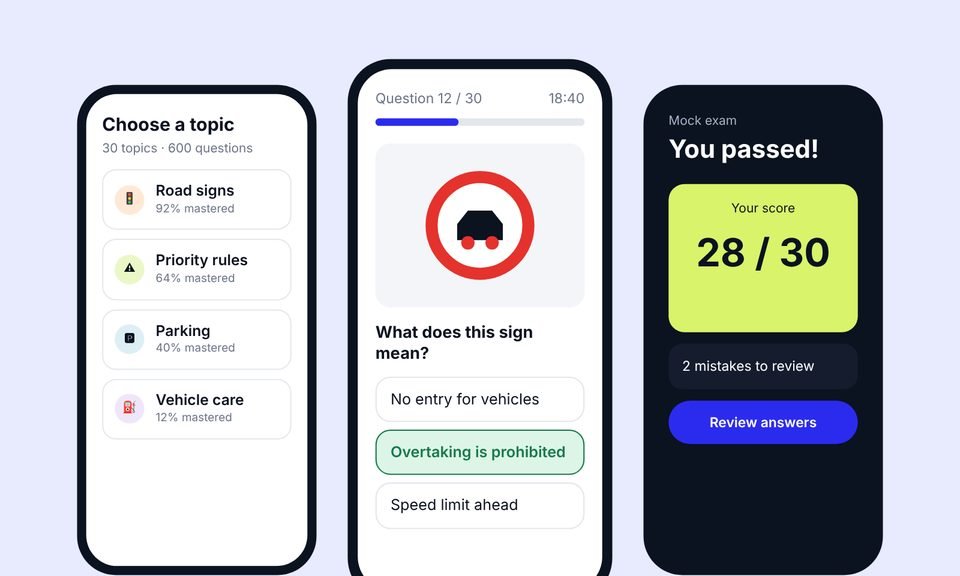
We designed the product, built the app and the website, then grew it with advanced SEO (including AEO and GEO) and Google Ads.
+38%
quiz completion
1.8s
average page load
~20,000
organic visits a month, from a new domain
 Case 02
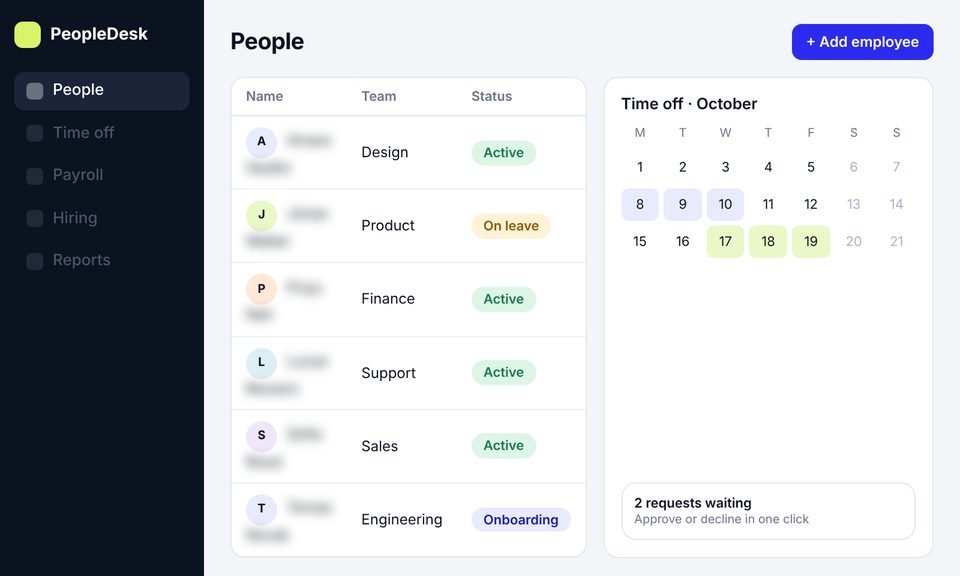
We took an HR platform from idea to launch: product design, development and a new website, then SEO to bring in users.
+45%
trial signups
−40%
HR admin time
~11,000
organic visits a month, from search
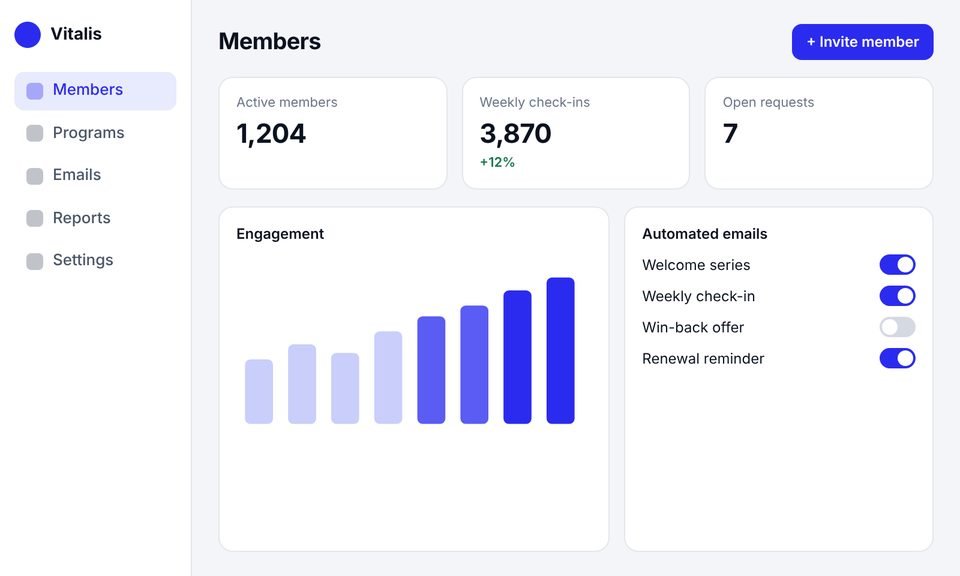 Case 03
This client had outgrown their website builder. We rebuilt it as a SaaS platform with an admin dashboard, automated emails and a new website.
+40%
member engagement
−30%
admin work
50%
faster page loads
Testimonials
Client names are withheld. Each quote comes from a real client and is shown with their company type only.
[Paste the client's own words here. A short, specific story about what changed after launch.]
[Paste the client's own words here. One or two plain sentences.]
[Paste the client's own words here. One or two plain sentences.]
[Paste the client's own words here. One or two plain sentences.]
Services
This page covers building and running a SaaS application. If you need something more specific, one of these may fit better. You can also combine them.
Fast, search-friendly marketing websites for B2B SaaS, built so your team can publish and update pages without a developer.
A focused first version of your product, built to launch, learn from real users and keep growing without a rewrite.
AI features inside your product, such as search, summaries, assistants and automation, built with sensible safeguards and running costs in view.
Experienced technical advice on architecture, tech stack, code quality or scaling, before you commit budget to a build.
A dedicated development team working as an extension of yours, with one project lead and regular demos.
FAQ
It’s building software that customers use over the internet, usually through an account and often on a subscription. Compared with one-off software, a SaaS application serves many customers from one codebase, needs accounts, permissions and often billing, and is updated continuously while people use it.
Yes. We can add features, integrations or modules to a live product. We start by learning your codebase and conventions, so new work fits what’s already there.
Yes. We review them for missing screens and edge cases first. If you don’t have designs, our SaaS UI/UX design team can create them.
With a focused first version. Our SaaS MVP design service shapes what version one should do, and our SaaS MVP development service builds it.
Most SaaS products serve many customers from one application, so they need some way to keep each customer’s data apart. Very few new products need microservices. A well-organised single application is usually simpler, cheaper and easier to change.
We build in secure sign-in, server-side permission checks, separation of customer data, input validation, backups and monitoring. The exact controls depend on your product and the data it holds. No one can honestly promise software that’s 100% secure.
You do. The code and project files belong to you. We recommend keeping the repository and cloud accounts under your company.
It depends on features and user roles, integrations, data, billing, security requirements and platforms. You get a written scope, timeline and price before any build work starts.
That depends on scope too. Because we build in short cycles, you see working software early, well before the full release.
We fix launch issues within the period agreed in your proposal. Ongoing maintenance, monitoring and new features are available under a separate agreement.
Yes. We can take on a module, a feature set or a specific technical problem, and work within your team’s tools and review process.
Book a call and walk us through the product, the people who’ll use it and where you are today. We’ll ask the questions that shape the build and tell you honestly how we’d approach it.
Prefer email? Write to hello@saasassistant.com