 Figma
Figma  Google Ads
 Every new page needs a developer
Marketing has campaign ideas, but each landing page joins the engineering queue.
What we buildReusable sections and page templates, so your team builds new pages in the CMS.
 Ahrefs
Semrush
Ahrefs
Semrush
 Search Console
We build fast, search-friendly marketing websites for B2B software companies, with product, solution, integration and pricing pages on a CMS your marketing team can run, and demo forms and tracking connected to your sales tools.
Pages we build
What this service covers
B2B SaaS companies run two very different pieces of software. One is the product customers log into. The other is the public website that explains it and brings in buyers. This service builds the website.
The public site that explains your product, earns trust with buyers and makes the next step easy. It sits at the centre of how you win customers, alongside sales, search and paid campaigns.
Looking for something else?
Your SaaS product itselfThe logged-in app your customers use.SaaS Application Development →Website design onlyDesigns and a design system, without the build.SaaS Website Design →An ongoing SEO campaignKeyword research, content and links month after month.SaaS SEO Services →A first version of your productThe smallest app worth launching.SaaS MVP Development →Why teams rebuild
These are the problems that usually trigger a new website. Each one has a development cause, and a development fix.
Marketing has campaign ideas, but each landing page joins the engineering queue.
New features, industries and integrations get squeezed onto pages that were built for version one.
A head of finance and an IT lead land on the same generic page and leave unsure it’s for them.
Form fills land in an inbox, arrive without a source, or never reach the CRM.
Heavy scripts, uncompressed images and page builders make the site slow on phones.
A previous relaunch changed URLs without redirects, and organic traffic dropped.
Built for buying teams
B2B software is rarely bought by one person. Founders, team leads, IT and finance all visit your website, looking for different things. Choose a visitor to see the pages they look for and what we build for them.
“What is this, and is it for companies like ours?”
A clear statement of what the product does and who it’s for, near the top of the page, with proof close by.
“How is this different from what we already know?”
Specific differences, real screenshots and stories from companies like theirs.
“Does it work for our industry, our team, our way of working?”
Their own language, their workflows and proof from their sector.
“Will it work with our stack, and is it secure?”
Integrations, security practices and the technical detail IT will ask about.
“What will it cost, and what do we get at each level?”
Plans, what’s included and a clear route to sales for larger deals.
“How do we see it with our own data?”
A short form, a clear promise of what happens next and, where you use one, a booking calendar.
Site architecture
We plan the sitemap around your products, audiences and search demand, then build each repeating page type as a template. One template can power as many pages as you need, so adding an industry or an integration is a content task, not a development project.
Repeating page types share one design and one set of fields, so every industry or integration page stays consistent.
Menus and internal links are planned for the products and audiences you’ll add next, not just today’s.
Readable URL patterns such as /solutions/finance-teams that don’t need to change as the site grows.
CMS and content management
The website is only useful if your team can keep it current. We set the CMS up around how your marketers work, so day-to-day changes never wait for a developer.
There’s no single best CMS. We recommend one after discovery, based on who edits the site, the functionality you need, your existing tools and your budget.
Best for marketing teams that want to build and edit pages themselves in a visual editor, with CMS collections for content.
Best for design-led sites and fast iteration on landing pages, with straightforward editing.
Best for custom functionality, deep integrations, large sites, or a site that shares code and components with your product.
Forms, CRM and tracking
A demo request is only useful if it reaches the right person with its context intact. We build and test the whole path, from the first visit to the record in your CRM.
From search, an ad or a newsletter. The source and campaign are captured.
A short form with clear labels, helpful validation and spam protection.
A contact is created or updated, with the source attached, and routed to the right person.
Your team is notified, and the visitor sees a confirmation with what happens next.
page_viewcta_clickform_startform_submitdemo_bookedWe connect forms to the CRM and marketing tools you already use, and agree the events worth tracking. How many people convert depends on your product, your offer and your traffic, so we measure it rather than promise it.
Technical SEO and performance
We build the technical foundations search engines rely on into the website itself, so content and SEO work has something solid to build on.
Navigation and internal links as real links that search engines can follow.
Content is in the HTML when the page loads, not only after JavaScript runs.
Short, readable URL patterns that reflect the sitemap.
Editable fields for every page and every CMS item.
One clear version of each page, so duplicates don’t compete.
An XML sitemap that updates itself, and rules for pages that shouldn’t be indexed.
Schema markup where it fits, such as organisation, articles and FAQs.
Permanent redirects for changed URLs, managed in the CMS.
Modern image formats, correct sizes and fonts that don’t block the page.
No thin, filtered or duplicate URLs created by the CMS by accident.
Google’s measures of real-world page experience. We build and test templates toward the “good” thresholds, measured on mobile and desktop.
The technical foundations above, delivered as part of the website.
Ongoing keyword research, content and authority building. Separate work that our SaaS SEO team can run alongside.
Rebuilding an existing site
If your current site has search traffic and links, the rebuild has to protect them. We plan the move before we build, not the night before launch.
/features/automation/product/automation301/finance/solutions/finance-teams301/blog/2023/close-checklist/blog/month-end-close-checklist301/old-pricing/pricing301Every live URL, plus the pages that bring in search traffic and links.
Each old URL mapped to its best new match, with permanent redirects.
Pages, posts and stories moved into the new CMS, with their metadata.
Analytics, conversion events and form routing checked against the old site.
Redirects, canonicals, sitemap and indexing settings tested on the day.
Search Console, 404s and traffic watched in the weeks after launch.
How a website build runs
You work with one project lead throughout, and you get a written scope, timeline and price before anything is built. Here’s what happens at each stage, and what we’ll need from you.
Your product, audiences, goals, current site and tools.
From youAccess to the current site, analytics and brand assets.
Sitemap, page templates, CMS choice, integrations and the technical scope.
From youApproval of the sitemap and written scope.
We build from your approved designs, or our design team creates them first.
From youDesigns, or approval of ours.
Templates, sections, CMS collections and integrations, shown on a staging site as we go.
From youFeedback on the staging site.
Technical SEO, redirects, analytics and conversion events set up.
From youAccess to analytics and CRM.
Browsers, devices, forms, accessibility basics and page speed checked.
From youYour own review of the staging site.
Domain, redirects and indexing settings switched over, then checked live.
From youSign-off to launch.
Fixes for launch issues within the agreed period, CMS training, and optional ongoing support.
From youA decision on ongoing support.
Scope and cost
We don’t publish package prices, because B2B SaaS websites vary hugely in scope. These are the factors that move the estimate. You get a written scope, timeline and price before any work starts.
A handful of core templates
Many templates for products, solutions and resources
Approved designs ready to build
Design needed before development
A few pages, moved by hand
Hundreds of posts and URLs to move and redirect
One form connected to your CRM
CRM, marketing automation, chat and product sign-up
Standard marketing pages
Calculators, interactive tours or gated resources
One language
Several languages with localised URLs
A new domain with nothing to protect
An established site with rankings to keep
Our work
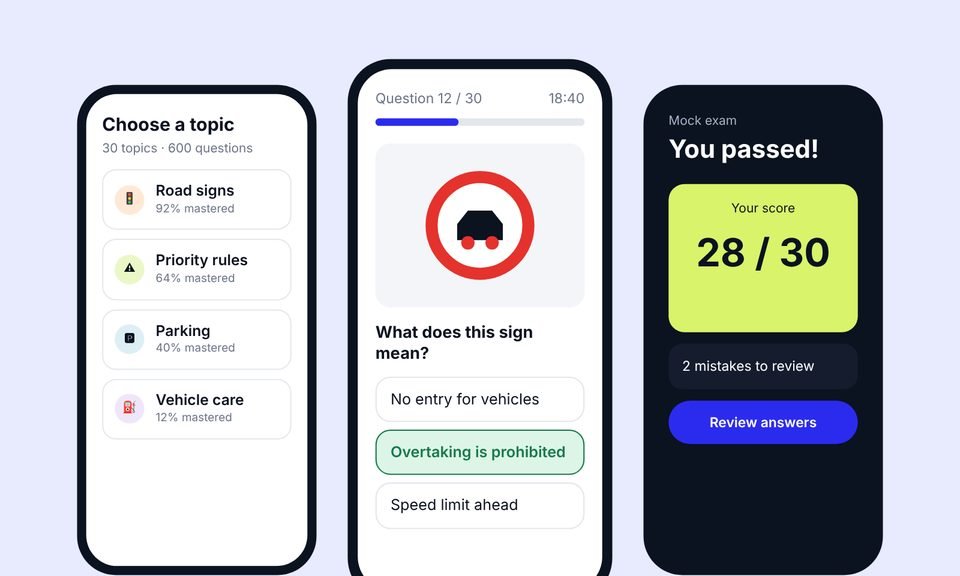 Case 01
We designed the product, built the app and the website, then grew it with advanced SEO (including AEO and GEO) and Google Ads.
+38%
quiz completion
1.8s
average page load
~20,000
organic visits a month, from a new domain
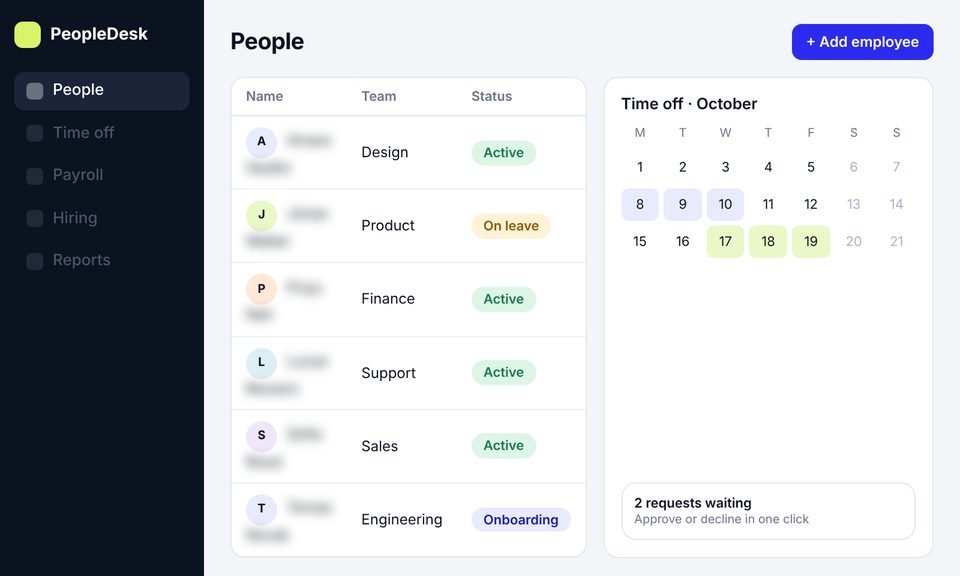 Case 02
We took an HR platform from idea to launch: product design, development and a new website, then SEO to bring in users.
+45%
trial signups
−40%
HR admin time
~11,000
organic visits a month, from search
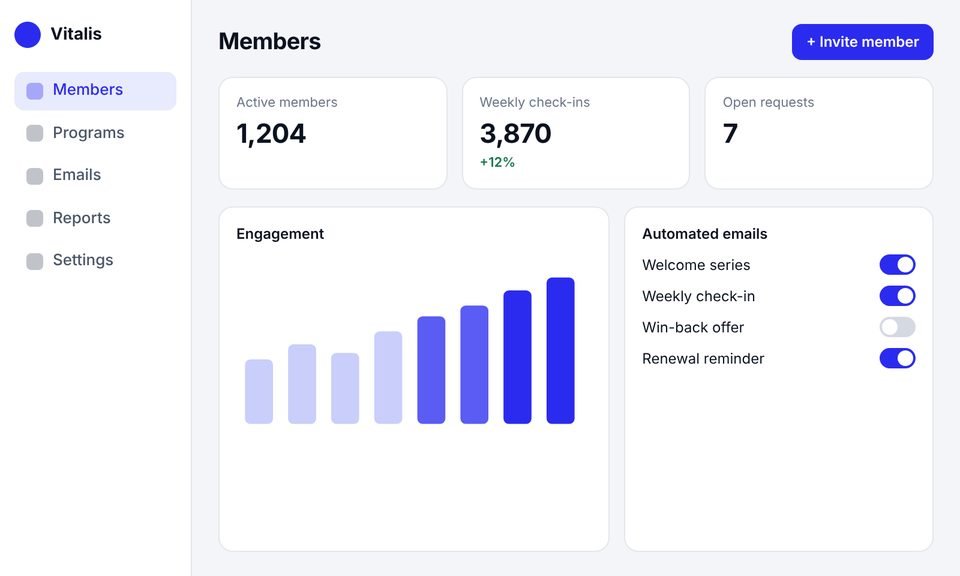 Case 03
This client had outgrown their website builder. We rebuilt it as a SaaS platform with an admin dashboard, automated emails and a new website.
+40%
member engagement
−30%
admin work
50%
faster page loads
Testimonials
Client names are withheld. Each quote comes from a real client and is shown with their company type only.
[Paste the client's own words here. A short, specific story about what changed after launch.]
[Paste the client's own words here. One or two plain sentences.]
[Paste the client's own words here. One or two plain sentences.]
[Paste the client's own words here. One or two plain sentences.]
Services
This page covers your marketing website. If you need development work on something else, one of these may fit better. You can also combine them.
The software your customers log into, with interfaces, backend and APIs, data, accounts and billing, built and run on secure cloud infrastructure.
A focused first version of your product, built to launch, learn from real users and keep growing without a rewrite.
AI features inside your product, such as search, summaries, assistants and automation, built with sensible safeguards and running costs in view.
Experienced technical advice on architecture, tech stack, code quality or scaling, before you commit budget to a build.
A dedicated development team working as an extension of yours, with one project lead and regular demos.
It’s building the public marketing website for a business software company, including the homepage, product, solution, integration and pricing pages, resources and the demo request flow. The site explains the product, earns buyers’ trust and makes the next step easy. It’s separate from the software product your customers log into.
Yes, as a separate service. See SaaS application development for the product itself.
Yes. We review them for missing templates, states and responsive layouts first. If you don’t have designs, our SaaS website design team can create them.
We can shape messaging and page copy with you, or work with your own writers. Agree this at the scoping stage, because it affects the plan and timeline.
It depends on who edits the site and what it needs to do. We often recommend Webflow or Framer for marketing teams that want visual editing, and Next.js with a headless CMS for sites that need custom functionality or deep integrations.
Yes. We build pages from reusable sections and templates, so your team can edit content, publish posts and create new pages in the CMS.
We protect them with a URL inventory, a redirect map, content and metadata migration, and launch-day checks, then monitor search performance afterwards. No one can guarantee rankings, but a planned migration avoids the most common causes of lost traffic.
Yes. We connect demo and contact forms to the CRM and marketing tools you use, capture the traffic source, and track conversion events in your analytics.
It depends on the number of page templates, whether designs exist, content migration, integrations, custom functionality and languages. You get a written scope, timeline and price before any work starts.
Book a call and tell us about your product, your buyers and the site you have today. We’ll talk through the pages, CMS and integrations you need, and how we’d approach the build.
Prefer email? Write to hello@saasassistant.com