 Figma
Figma  Google Ads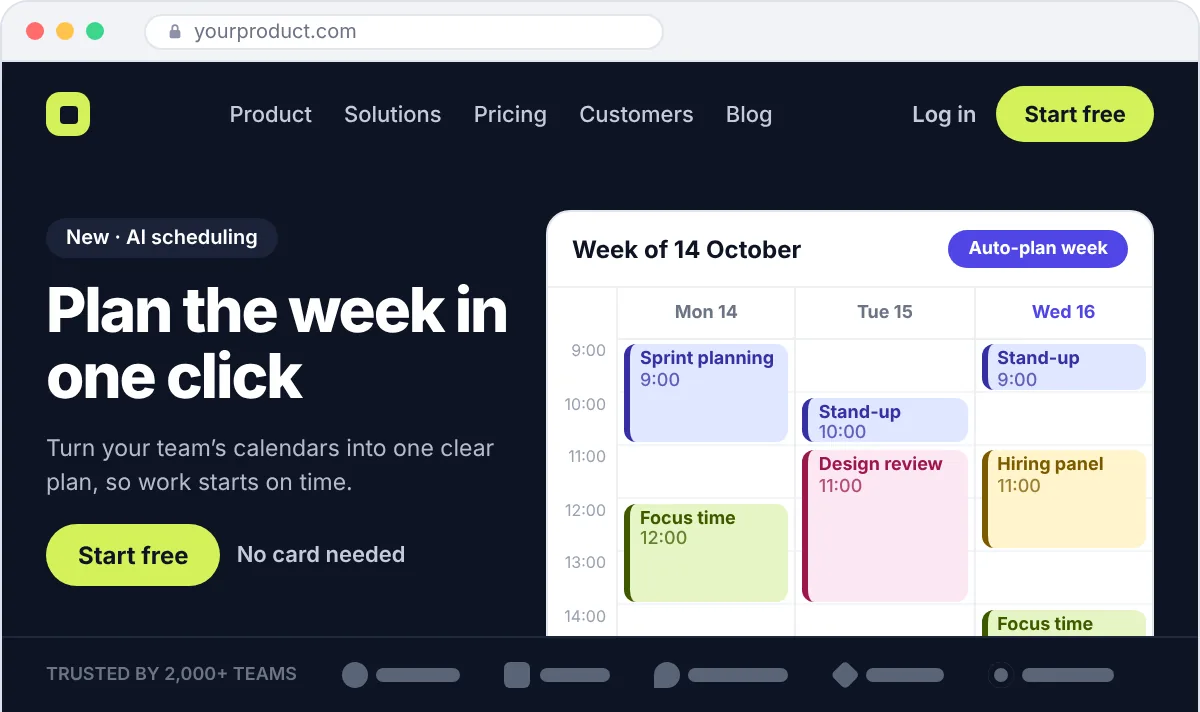
01
Homepage
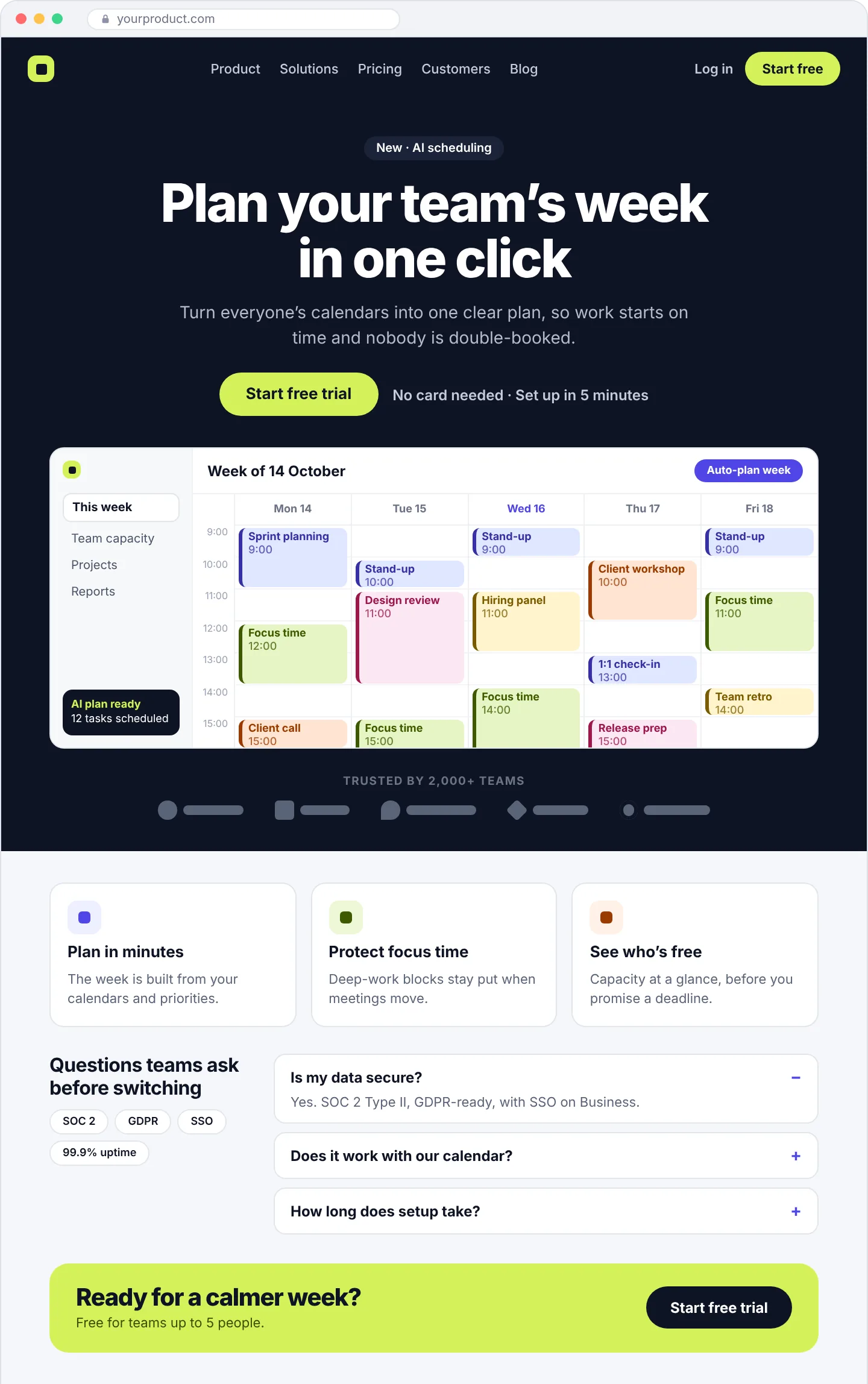
Most visitors decide within seconds whether to stay. The first screen says who the product is for and what it does, and the rest of the page backs that up.
Clear headlineProduct visualProofOne main CTA
 Ahrefs
Semrush
Ahrefs
Semrush
 Search Console
We design and build SaaS websites that explain your product in seconds, answer buyers’ questions before they ask, and lead them to a free trial or a demo. Every page is planned for Google and AI search from the start.
What a good SaaS website does
What it covers
A SaaS website has a harder job than most. Buyers compare you with three or four other tools, come back more than once before they decide, and often need to convince someone else on their team. Your website has to explain the product, answer their questions and make the next step easy. That next step is usually one of two things, and the site should be built around the one your customers take.
What makes it work
A good-looking website and a high-converting one are not the same thing. These are the eight things we build into every SaaS website we design, and the first things we check when we review yours.
Who the product is for and what it does, in the words a buyer would use. If people have to scroll to understand it, most of them won’t.
Screenshots, a short clip or a quick tour. People trust what they can see more than what they’re told, especially with software.
Start a trial or book a demo: choose the main one and repeat it down the page. Five different buttons slow people down.
Customer logos, a short quote or a real number near the top, not only at the bottom of the page.
Lead with the result, such as “close the month in two days”, then show the feature that makes it happen.
Pricing, security, integrations, setup time and support. If buyers can’t find these answers, they email sales or simply leave.
Pages that load quickly and work properly on a phone. A slow first page loses people before they’ve read a word.
Sign-ups and demo requests tracked back to the pages and channels that brought them, so you know what to improve next.
Where we focus
Most SaaS buyers look at the same handful of pages before they decide. Here is what each one needs to do, and what we make sure it includes. You may not need all nine on day one, and we’ll help you choose where to start.
Most visitors decide within seconds whether to stay. The first screen says who the product is for and what it does, and the rest of the page backs that up.
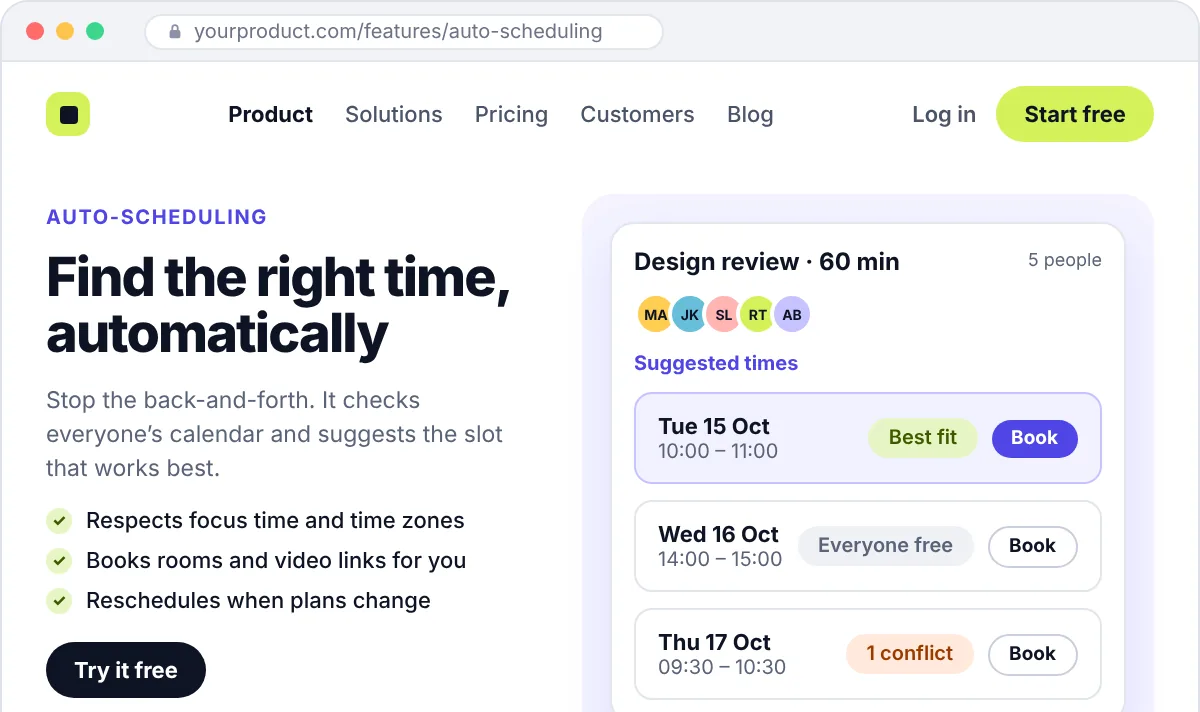
One page for each main feature, built around the problem it solves and shown with real screenshots rather than vague icons.

Usually one of the most visited pages on a SaaS site. Plans are easy to compare, clear about what’s included, and answer billing questions before they turn into objections.
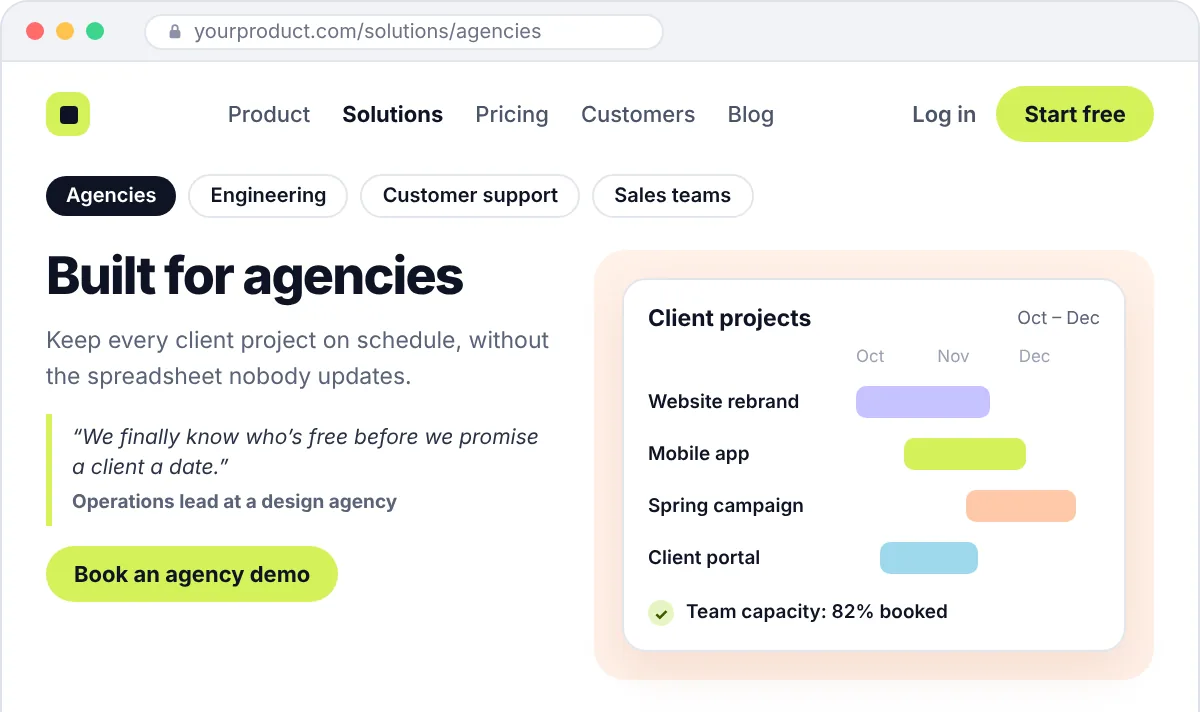
A page for each team or industry you sell to, so a buyer lands on something that sounds like their world instead of a generic pitch.
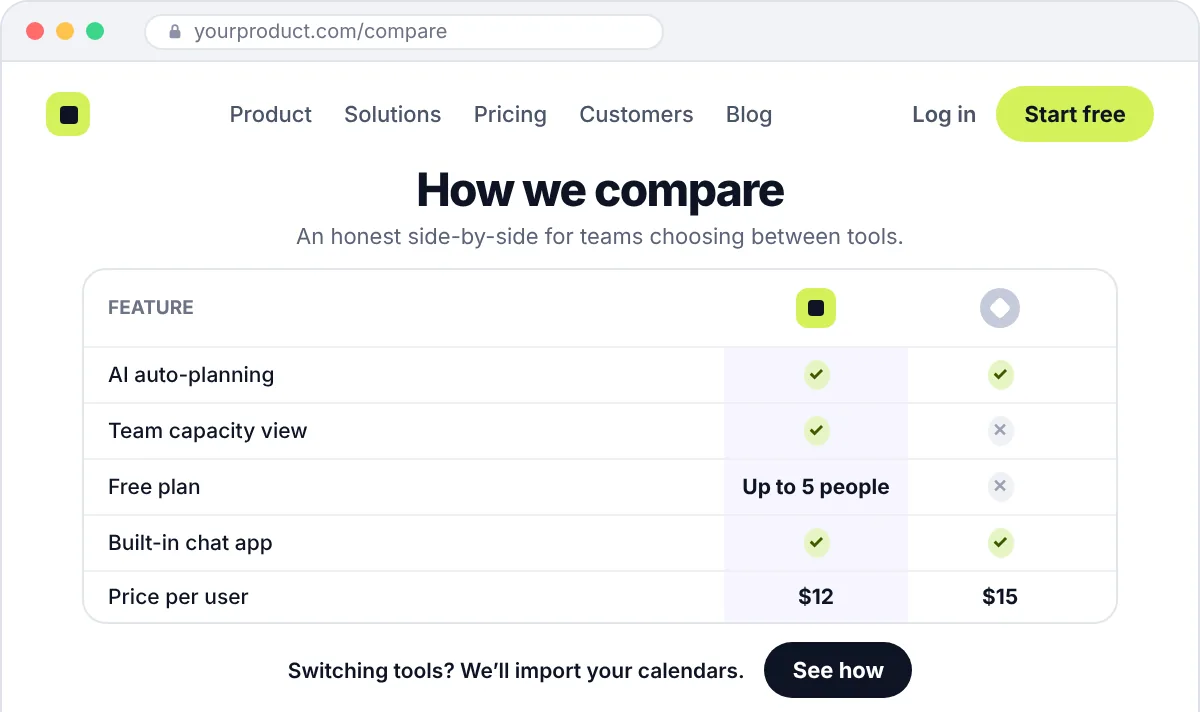
Fair, factual pages such as “You vs. Competitor” for buyers who are already comparing. People searching for these are often close to choosing.
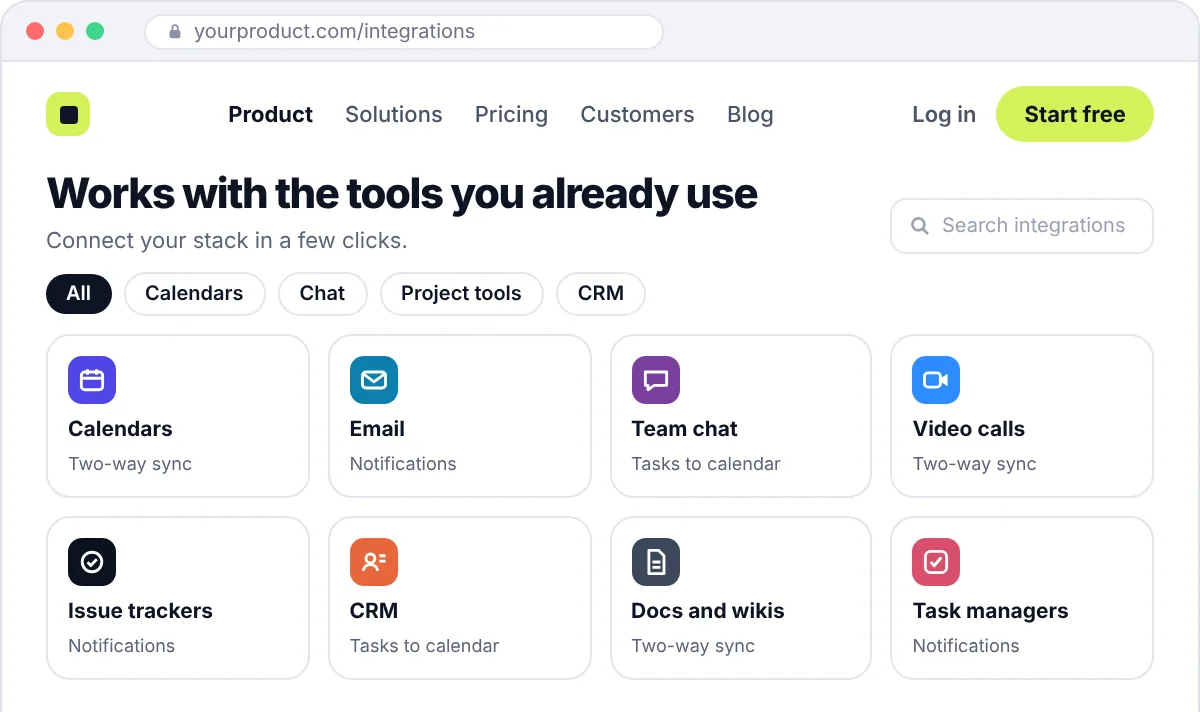
For many buyers, “does it work with what we already use?” decides the shortlist. Each key integration gets a clear page of its own.
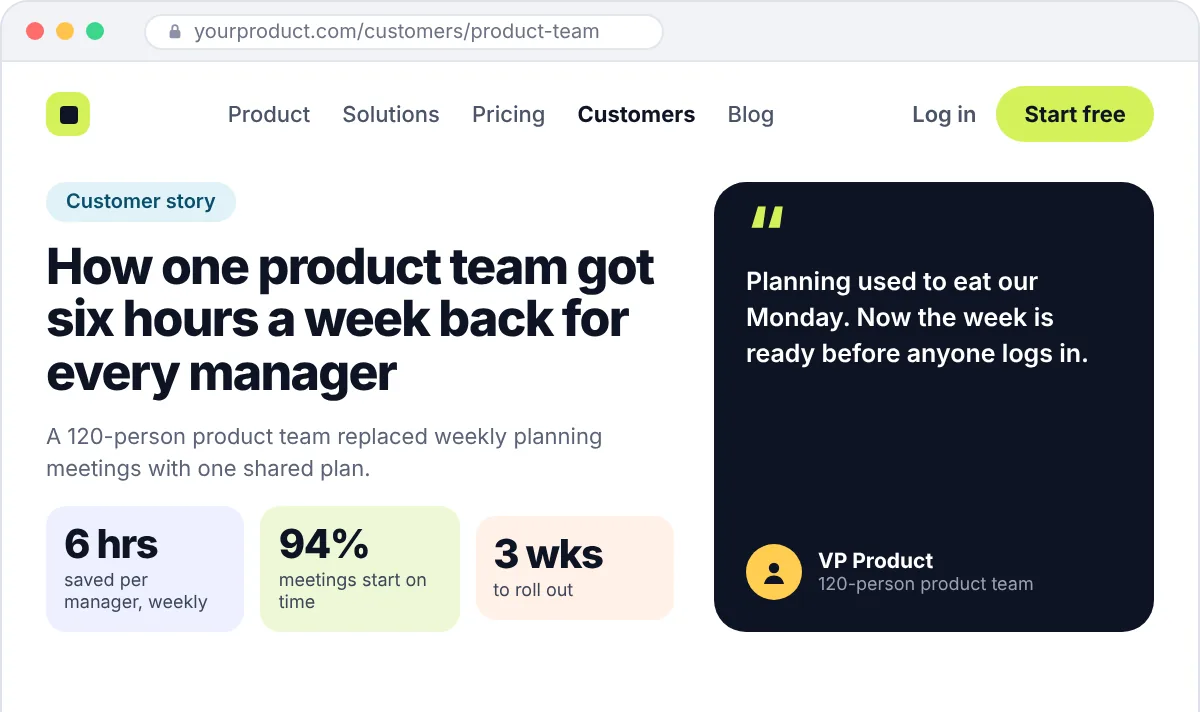
Short, specific stories covering the problem, what changed and the result, written so a buyer can picture their own team in them.
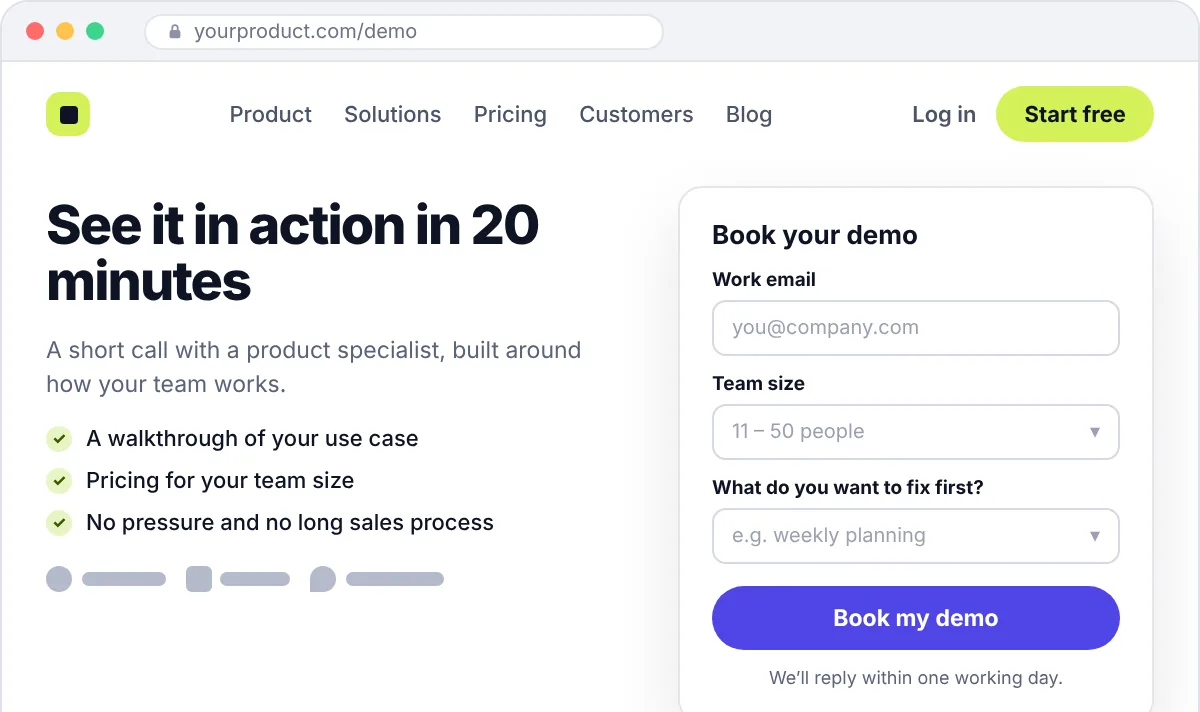
The last step, and the easiest one to get wrong. Short forms, a clear note on what happens next, and nothing that makes people hesitate.
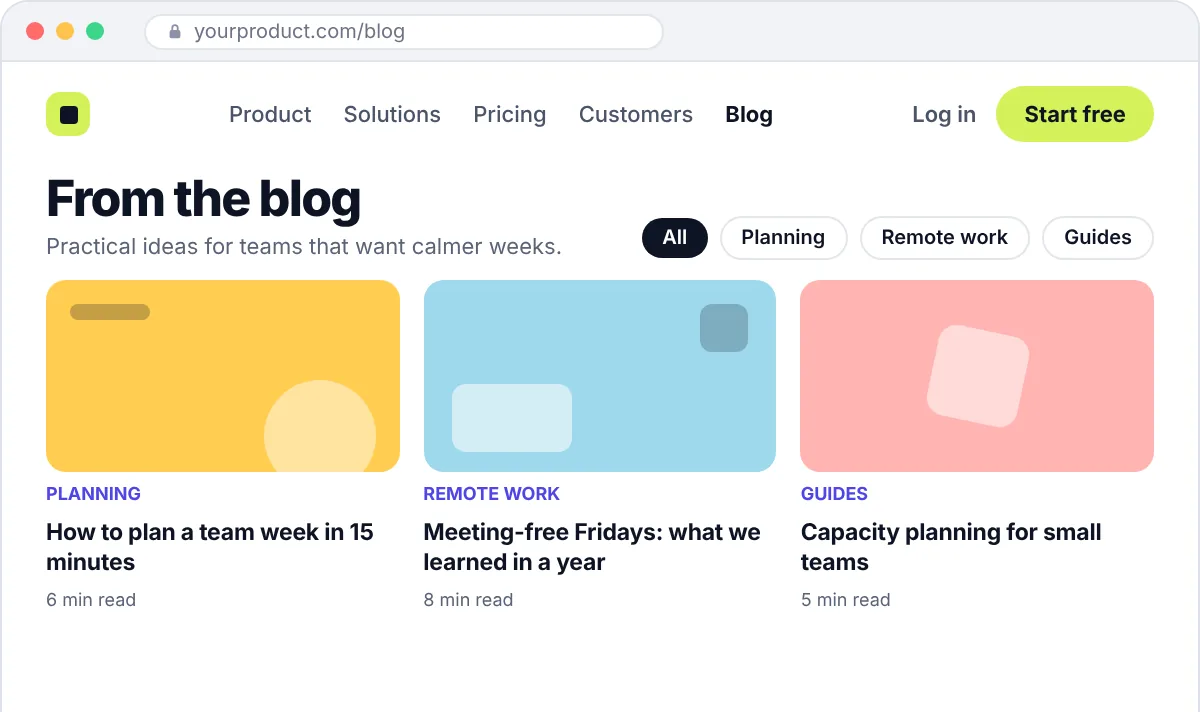
Articles and guides that answer the questions your buyers search for, then point readers to the product page that fits.
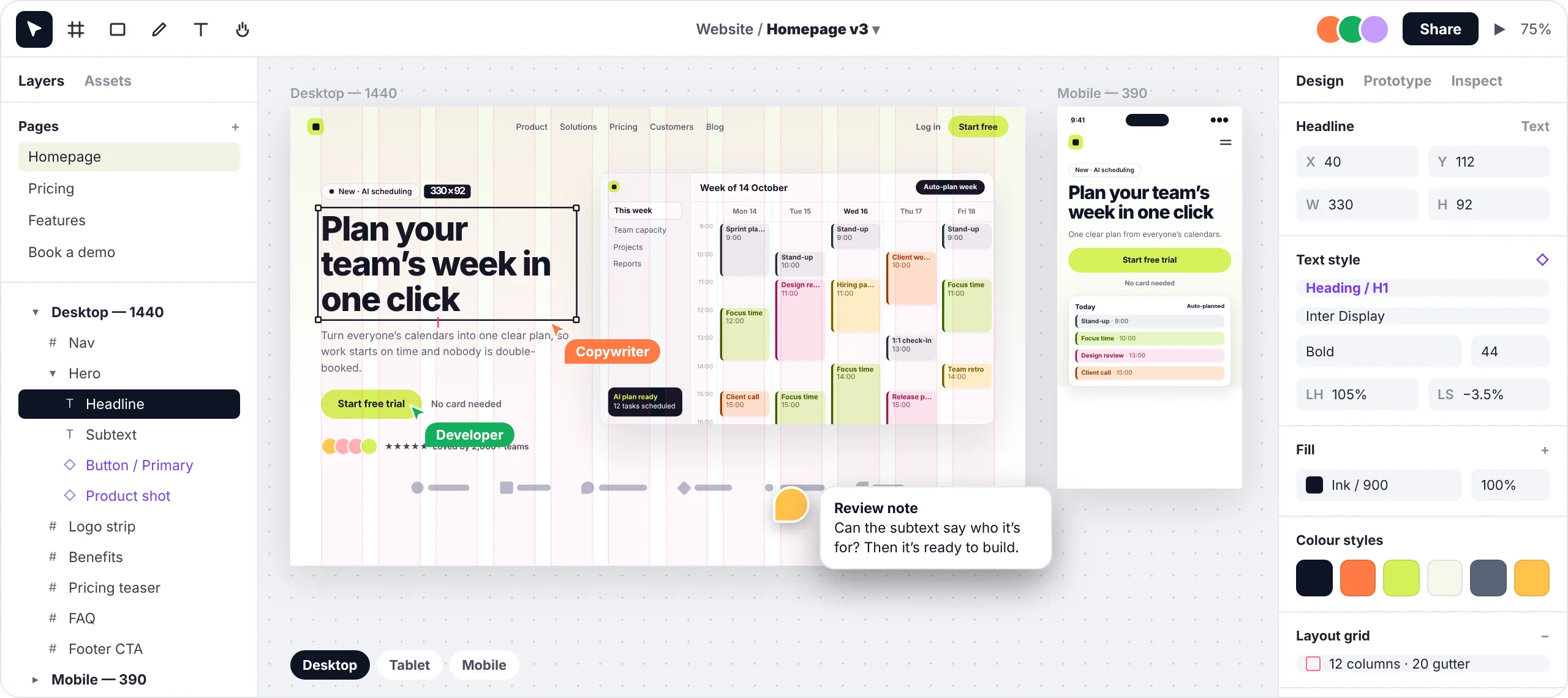
Mockups show an invented product, not client work.
When to get help
These are the things SaaS founders and marketing leads usually tell us on the first call.
We find where visitors drop off and rework the pages and buttons between their first visit and the sign-up or demo form.
We sharpen the message so your homepage says who the product is for, what it does and why it’s better, in plain words.
We build on a platform your marketing team can edit, with ready-made sections for new pages.
We map your important pages, set up redirects and check rankings after launch, so the traffic you’ve built stays.
Design or redesign
They sound alike, but they start from different places and carry different risks. Here is how we approach each one.
Building your marketing site from the ground up.
Best for
Launching a product, replacing a placeholder site, or a rebrand so big that little of the old site is worth keeping.
Starting point
Your product, your buyers and a blank page.
What we look at first
Who buys, which tools they compare you with, and what they search for before they buy.
The biggest risk
A site built around how you describe the product rather than how buyers do. We agree the message before any design starts.
How we handle SEO
Keywords and page structure are planned from day one, so the site can rank without being rebuilt later.
Improving a site that already has traffic, links and history.
Best for
A site that gets visitors but not enough sign-ups, looks behind your product, or is hard for your team to update.
Starting point
Your current site, its analytics and the pages that already bring in traffic.
What we look at first
Where visitors drop off, which pages rank, and what customers say on sales calls.
The biggest risk
Losing rankings and links you’ve spent years building. We keep or redirect every important URL and check rankings after launch.
How we handle SEO
Protect what already ranks, then improve the pages that don’t.
What's included
The exact list depends on your project. We agree it with you in a written proposal before any work starts.
Before any design, we agree who the site is for, what each page needs to say and how the pages link together.
Simple page layouts that settle structure and content first, so changes are quick and cheap.
We can write the page copy with you or edit what you already have, so every headline says something specific about your product.
Every page designed in your brand for desktop and mobile, with reusable sections your team can use for new pages later.
Built in Webflow, Framer, WordPress or Next.js, depending on what suits your team. Your marketers can update pages without waiting for a developer.
Clean page structure, titles and descriptions, fast load times, redirects from your old site, and analytics that show which pages bring sign-ups.
Industries
We work only with SaaS, across many kinds of software. The product changes from client to client, but the buyer’s first questions rarely do: what does it do, is it for me, and what does it cost?
Why us
Lots of agencies make good-looking websites. We make them for SaaS companies only, and we care about what happens after launch: whether the site gets found, whether it converts, and whether your team can keep it up to date.
We know trials, demos, pricing pages and how software gets bought, so we don’t learn it on your budget.
Your site is planned for search before it’s designed, not fixed afterwards. Two client websites we built grew from brand-new domains to around 11,000 and 20,000 organic visits a month.
If Google already sends you traffic, we map your pages and set up redirects before launch, then check your rankings after it.
We build on a platform your marketers can edit, with ready-made sections, so a new landing page doesn’t need a developer.
You talk to one person, not separate vendors for design, development and SEO.
You get a written scope, page list, timeline and price before any work starts.
The designs, code, domain and accounts belong to you once the work is paid for.
Swipe sideways to compare →
| SaaS Assistant | Template on a website builder | Generalist agency | Freelancers | |
|---|---|---|---|---|
| Works only with SaaS | ✓ Yes | No | Usually not | Varies |
| Pages planned around trials and demos | ✓ Yes | You plan it yourself | Varies | Varies |
| SEO planned before design | ✓ From day one | Basic settings only | Often added later | Varies |
| Rankings protected in a redesign | ✓ Redirects and checks included | You do it yourself | Varies | Varies |
| Design, build and SEO from one contact | ✓ One project lead | Not included | Varies | You coordinate |
| You own the site | ✓ Yes, once paid | Tied to the platform | Check the contract | Check the contract |
Process
Five steps, each with something you can review. Nothing goes live until you’ve approved it.
You tell us about your product, your buyers and what the current site isn’t doing. We tell you honestly whether we’re a good fit.
Produces
An honest view on fit
You get a written scope, page list, timeline and price. Nothing starts until you agree.
Produces
Written scope, timeline, price
We look at your buyers, your competitors and your current site, then plan the pages, the message and the layout of each one.
Produces
Sitemap, messaging and wireframes
We design every page for desktop and mobile. You review, ask for changes and approve the designs before anything is built.
Produces
Approved page designs in Figma
We build the site, set up redirects and tracking, test it on real devices and show your team how to edit it.
Produces
A live site your team can update
Our work
Each of these projects included a new website. Client names are withheld, but we’re happy to share more detail on a call.
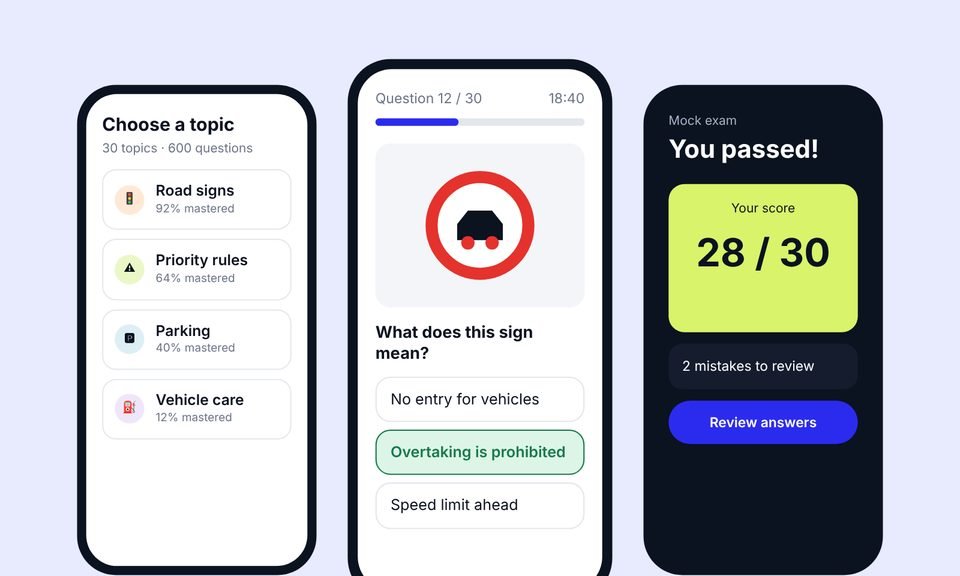 Case 01
We designed the product, built the app and the website, then grew it with advanced SEO (including AEO and GEO) and Google Ads.
+38%
quiz completion
1.8s
average page load
~20,000
organic visits a month, from a new domain
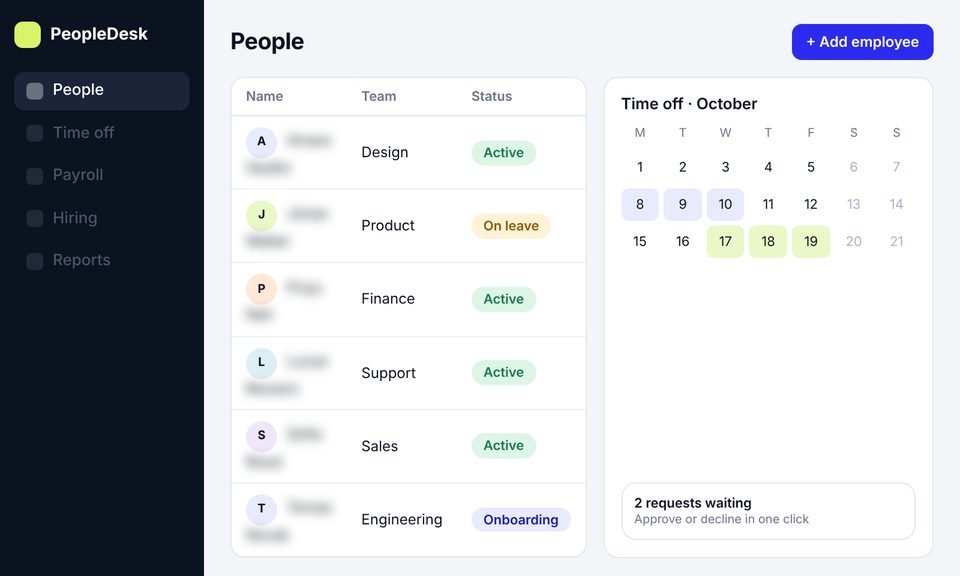 Case 02
We took an HR platform from idea to launch: product design, development and a new website, then SEO to bring in users.
+45%
trial signups
−40%
HR admin time
~11,000
organic visits a month, from search
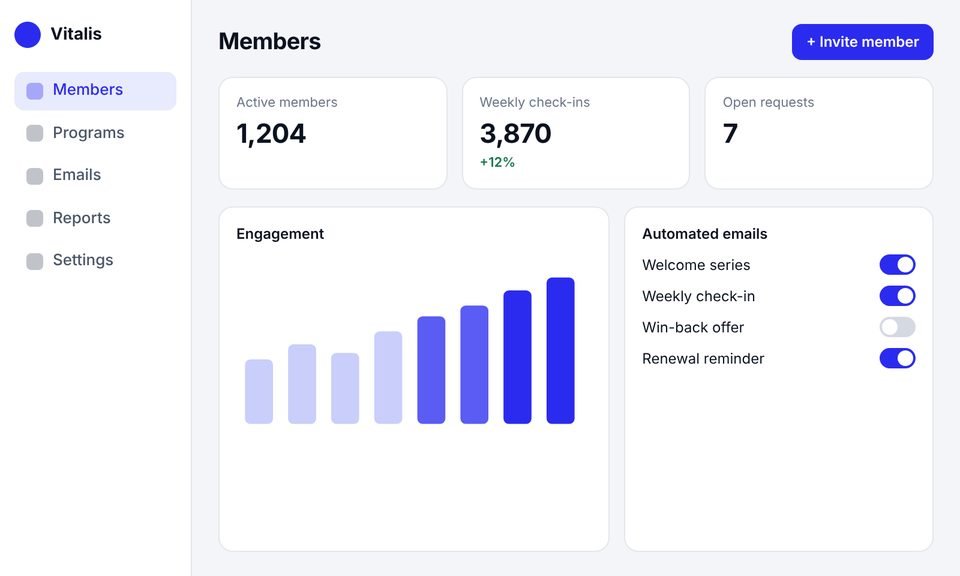 Case 03
This client had outgrown their website builder. We rebuilt it as a SaaS platform with an admin dashboard, automated emails and a new website.
+40%
member engagement
−30%
admin work
50%
faster page loads
Testimonials
Client names are withheld. Each quote comes from a real client and is shown with their company type only.
[Paste the client's own words here. A short, specific story about what changed after launch.]
[Paste the client's own words here. One or two plain sentences.]
[Paste the client's own words here. One or two plain sentences.]
[Paste the client's own words here. One or two plain sentences.]
Services
This page covers your marketing website. If the product itself needs work, or you want a smaller first step, one of these may fit better. You can also combine them.
The screens inside your product, from onboarding to billing, designed so new users reach their first result faster.
A structured update of a live product, planned so current users can keep working while the experience gets clearer.
A focused first version: the essential flows only, designed so developers can build it without guesswork.
A review of your current product to find where users struggle, with recommendations on what to fix first.
Expert advice on a specific design decision, for teams that need guidance rather than a full project.
They cover the planning, design and build of the marketing website for a software company: the homepage, product and feature pages, pricing, use cases, landing pages and blog. The goal is different from a typical business website. A SaaS site has to explain a product people can’t touch, and lead them to a free trial, a demo or a sign-up.
A SaaS buyer usually compares several tools, comes back more than once and often needs approval from someone else. So the site needs clear pricing, pages for each use case, real proof and a simple path to a trial or demo. Most business websites don’t have to do all of that.
Most need a homepage, product or feature pages, a pricing page, use-case or industry pages, customer stories, a sign-up or demo page and a blog. Comparison and integration pages help a lot once buyers start weighing you against other tools. We agree the exact list with you, based on how your customers buy.
Usually Webflow, Framer, WordPress or Next.js. We recommend one based on who will update the site and how complex it is. If your marketing team wants to publish pages on their own, we choose a platform that lets them.
Yes, if it’s planned properly. Before launch we list the pages that bring in traffic, keep or redirect every important URL and carry over the titles and content that already rank. After launch we check rankings and fix anything that slips. If you’re also changing your domain, our SaaS SEO migration service covers that in more depth.
We can. Many SaaS teams know their product inside out but find it hard to explain simply. We can write the copy after a short interview with you, or edit what you already have. Either way, you approve every word.
It mostly depends on the number of pages, whether we write the copy, the platform and any integrations, such as your CRM. A small site moves much faster than a full redesign with dozens of pages. Before any work starts, you get a written scope, timeline and price.
No. We can design the site in Figma and hand it to your developers, or design and build it for you. Most clients choose both, because one team means nothing gets lost between the designer and the developer.
You do. Once the work is paid for, the designs, code, domain and accounts belong to you.
Yes. A UX audit of your current site or a single landing page is a good way to see how we work before you commit to a bigger project.
Book a free call and send us your current website, if you have one. We’ll tell you what we would change first and why, and give you an honest view on whether a new website is what you need. If it isn’t, we’ll say so.
Prefer email? Write to hello@saasassistant.com